To configure your Calendars follow the steps below.
Step 1: Log into the VAIRKKO Platform
Step 2: Select 'Admin' in the upper right-hand corner
Step 3: Select 'Events Calendar Setup' from the Admin Toolbar
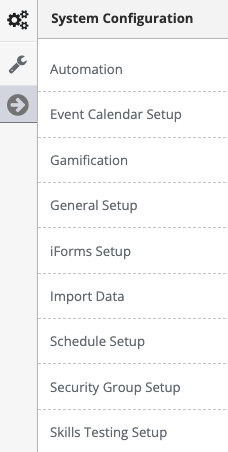
Step 4: Select the 'Add New' tab
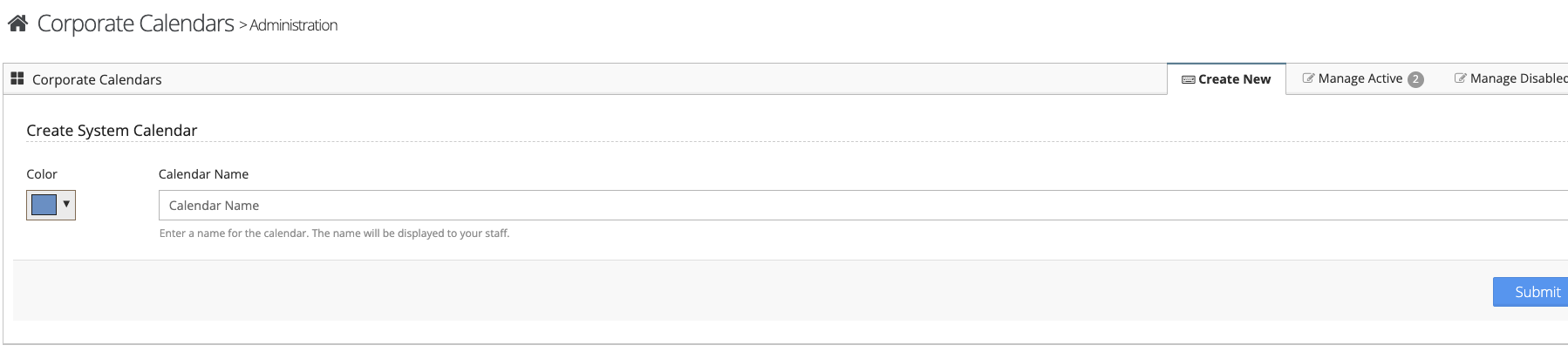
Step 5: Follow the on-screen prompts to configure your calendar
Managing Calendars
Step 1: Select the 'Manage Active' tab to make changes to active calendars, select the 'Manage Disabled' tab to make changes to disabled calendars
Step 2: From the actions button next to the calendar you can 'View/Edit' the calendar or make it disabled or enabled
Was this article helpful?
That’s Great!
Thank you for your feedback
Sorry! We couldn't be helpful
Thank you for your feedback
Feedback sent
We appreciate your effort and will try to fix the article