To add employees by using self-import follow the steps below:
Step 1: Log into the VAIRKKO Platform
Step 2: Access the Administrative area by clicking 'ADMIN' in the upper right-hand corner.
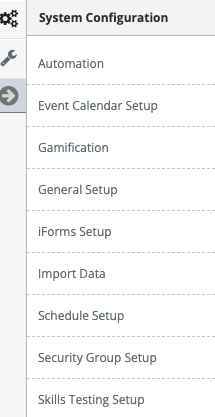
Step 3: Select "Import Data" from the System Configuration area
Step 4: Click the download a sample spreadsheet tile

Step 5: Download the employee template
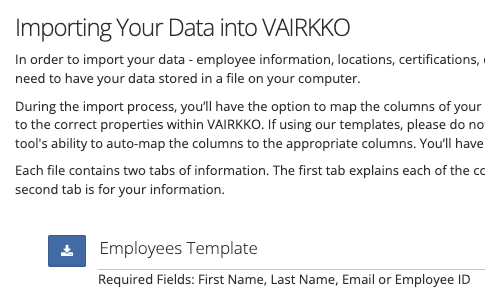
Step 6: Enter your employee information into the spreadsheet (see more information below for further)
Step 7: Click Start Import
More Information:
- Required Information
- First Name
- Last Name
- Email Address and/or Employee ID Number
- Self-Import workflow
- If the employee is not found in VAIRKKO the employee's account will be created
- If the employee is found in VAIRKKO any information that does not match the spreadsheet data will be updated
- Self Import will NOT disable users.