To configure your threads follow the steps below.
Step 1: Log into the VAIRKKO Platform
Step 2: Access the Administrative area by clicking 'ADMIN' in the upper right-hand corner.
Step 3: Access the 'Discussion Boards' from the Administrative Toolbar
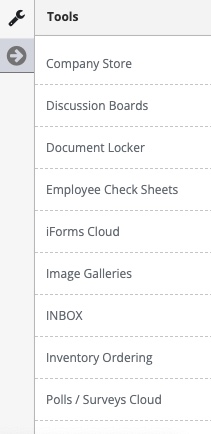
Step 4: Select 'Threads' from the in-app menu

Step 5: Select the 'Create Thread' tab
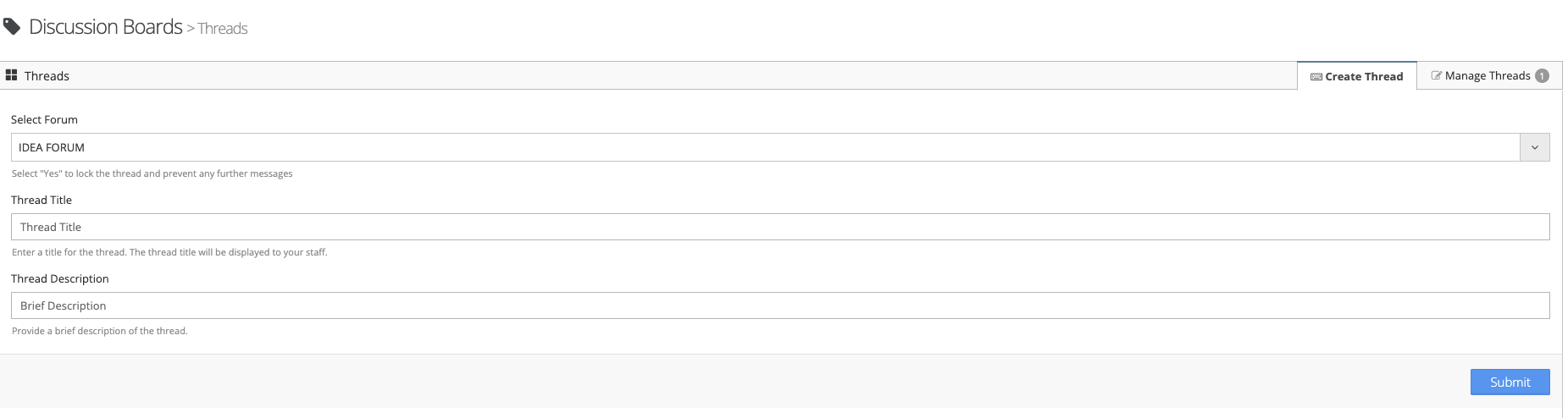
Step 6: Follow the on-screen prompts to create your thread
Managing Threads
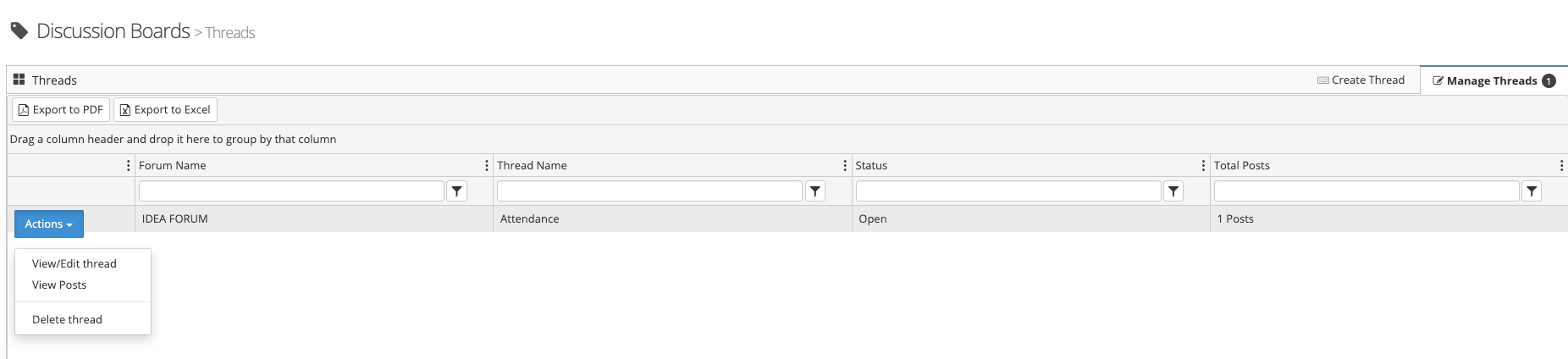
Step 1: Select the 'Manage Threads' tab
Step 2: From the gear icon next to the thread you can View/Edit the thread, View any post within the thread, or delete the thread
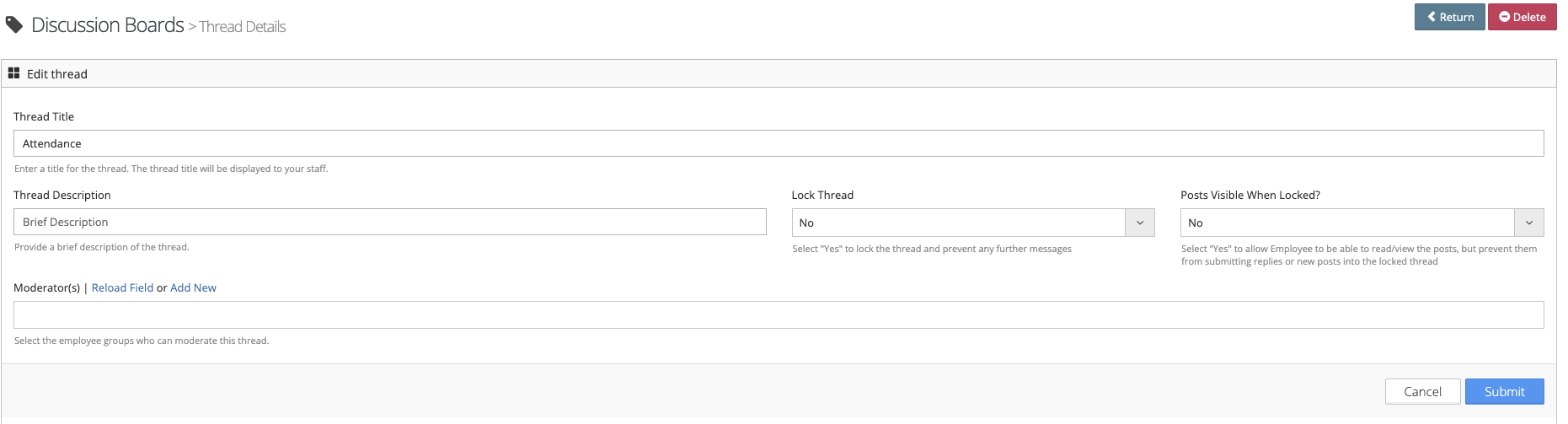
Step: 3 You can add a thread moderator by editing a configured thread
 What is a Thread?
The thread within the forum lists the Feedback topic that will be discussed. The individual post is the ideas relating to the topic.
Was this article helpful?
That’s Great!
Thank you for your feedback
Sorry! We couldn't be helpful
Thank you for your feedback
Feedback sent
We appreciate your effort and will try to fix the article