To create an open-ended document follow the steps below.
Step 1: Log into the VAIRKKO Platform
Step 2: Access the Administrative area by clicking 'ADMIN' in the upper right-hand corner.
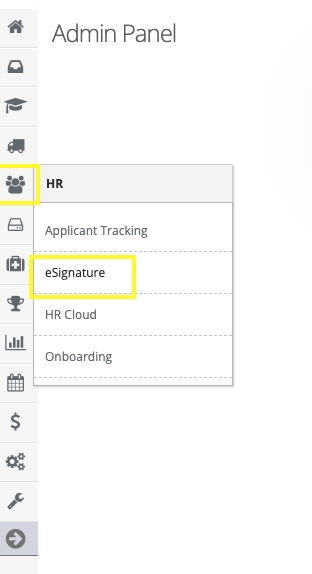
Step 3: Access the 'eSignature' from the Administrative Toolbar
Step 4: Select 'Open-Ended Docs' from the in-app menu

Step 5: Follow the on-screen prompts to enter your document
What is an open-ended doc?
The open-ended document feature allows you to make a document a fillable form. This fillable form can then be stored as a document within the document locker for your staff to fill out. Once the document is filled out the employee will receive a copy of the document as well as being stored within the employee's profile.