To configure a Pick List that is non-routing follow the steps below.
Step 1: Log into the VAIRKKO Platform
Step 2: Access the Administrative area by clicking 'ADMIN' in the upper right-hand corner.
Step 3: Access the 'iForms Setup' from the Administrative Toolbar
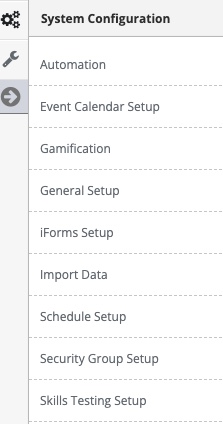
Step 4: Select 'Pick Lists' from the in-app menu
Step 5: Select the 'Add New' tab to create a pick list
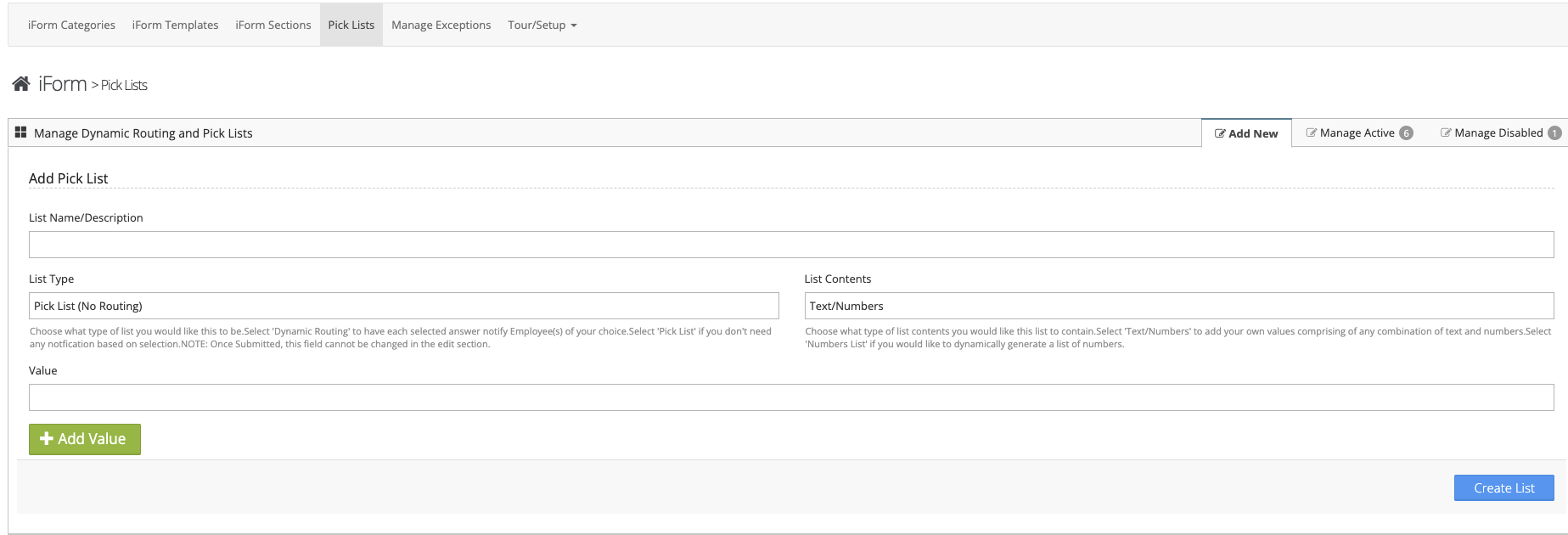
Step 6: Follow the on-screen prompts to configure your list
List Name/Description - The name of the list or a brief description
List Type - Pick List (No Routing) or Dynamic Pick List
List Contents - Text/Numbers or Number List
Value - List item value, to add additional items select the 'Add Value' button
Managing Created Pick Lists
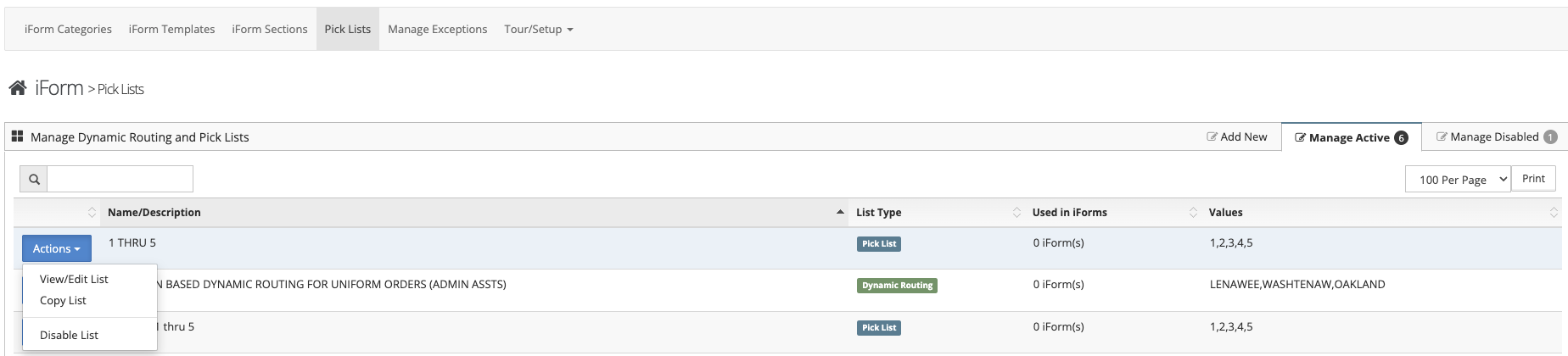
Step 1: Select the 'Manage Active' tab
Step 2: From the Actions Button next to your list you can View/Edit List, Copy List, or Disable List
Additional Information
- Pick List Items can be sorted by selecting 'View/Edit List' and entering the 'Current Values' tab
- The names of your pick list items can be changed by selecting 'View/Edit List' and entering the 'Current Values' tab
- Individual list items can be disabled by selecting 'View/Edit List' and entering the 'Current Values' tab, then check the box next to the item you wish to disable
- You can add additional values by selecting the 'View/Edit List' and then the 'Description and Values' tab
Pick List (No Routing) vs. Dynamic Routing Pick List
- Dynamic Routing Pick List allows you to configure your Pick List to notify a specific employee based on the answer you Employee provides.
- Pick List (No Routing) will not send specific notifications based on an employees selection
Important Information
Once you have created a List Type you can not change this type in the future. For example, a created Dynamic Routing Pick List cannot be changed to a Pick List (No Routing)
Was this article helpful?
That’s Great!
Thank you for your feedback
Sorry! We couldn't be helpful
Thank you for your feedback
Feedback sent
We appreciate your effort and will try to fix the article