To configure your iForm sections follow the steps below.
Step 1: Log into the VAIRKKO Platform
Step 2: Access the Administrative area by clicking 'ADMIN' in the upper right-hand corner.
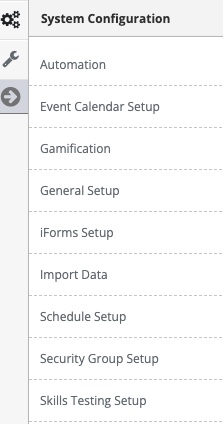
Step 3: Access the 'iForms Setup' from the Administrative Toolbar
Step 4: Select 'iForm Sections' from the in-app menu
Step 5: Select the 'Add Section' tab to create a new section
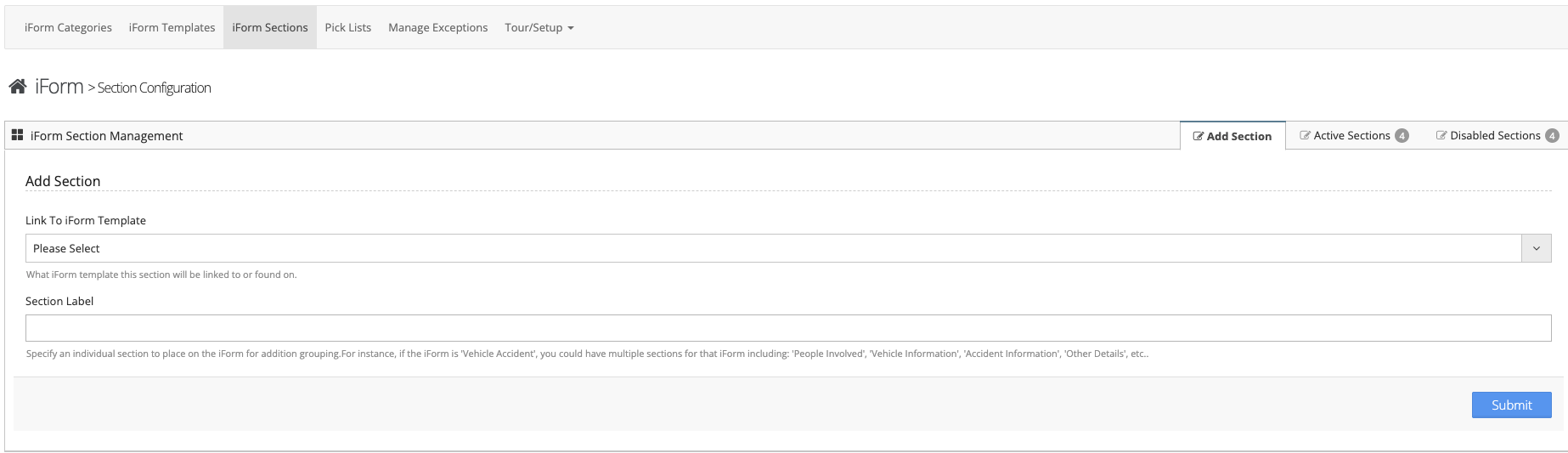
Step 6: Follow the on-screen prompts to enter your new section
Managing Created Sections
Step 1: Select the 'Active Sections' tab to interact with configured sections
Step 2: From this screen, you can edit the section name, associated template, sort order, or disable the section
What is an iForm Section?
Sections allow you to create a header to link questions to. For example, you could create a Section called 'Call Information' and have all call related information questions under this section