Adding new users to the VAIRKKO Platform is easy, follow the steps below.
Step 1: Log into the VAIRKKO Platform
Step 2: Access the Administrative area by clicking 'ADMIN' in the upper right-hand corner.
Step 3: Access the 'HR Cloud' from the Administrative Toolbar and select 'User Management' or 'HR Cloud' dependent on your subscription services.
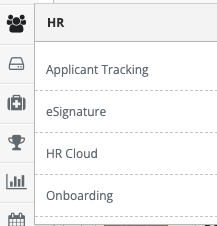
Step 4: Select the 'Add New' tab
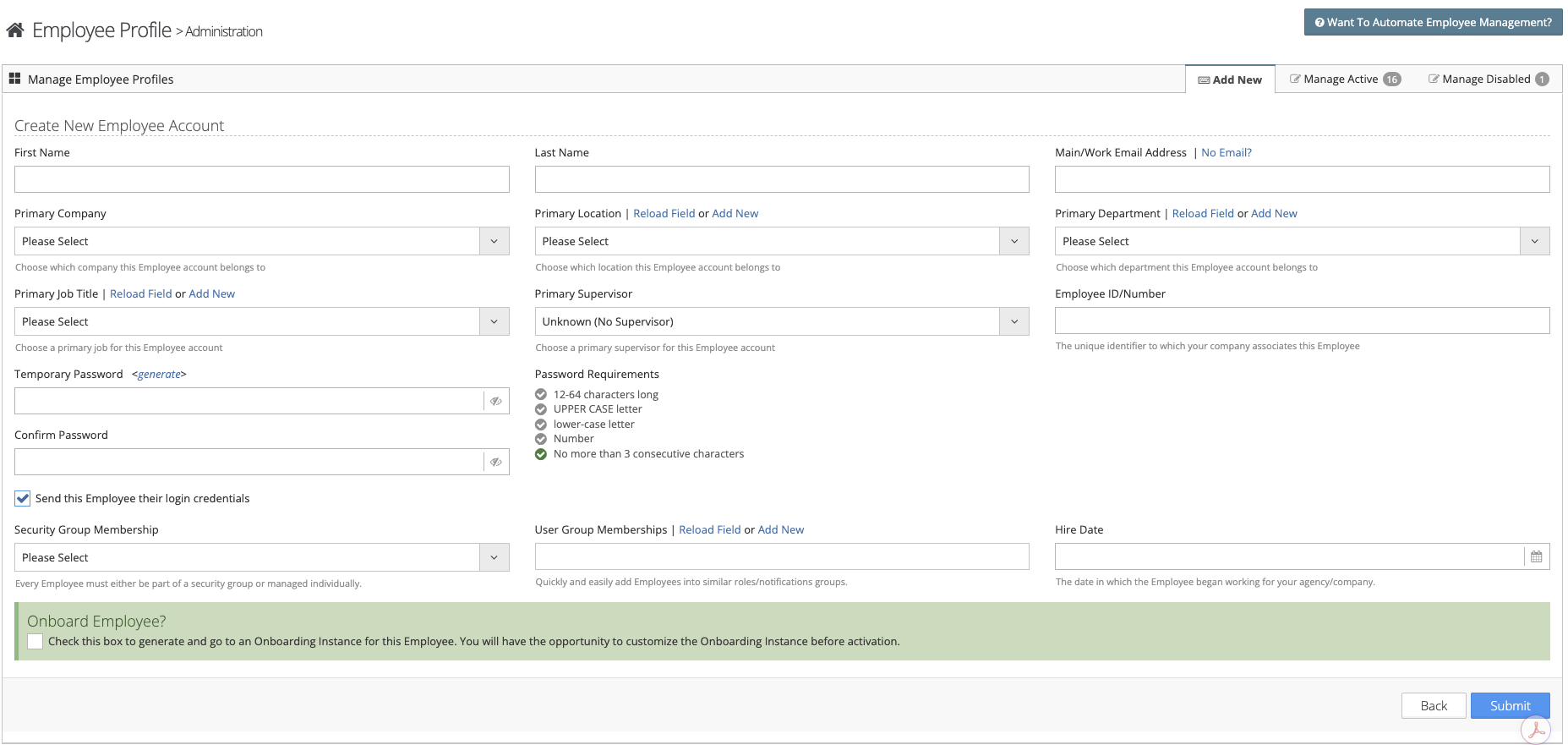
Step 5: Follow the on-screen prompts to add your new user
Important Information
- A valid email address must be entered for the account to be created
- The employee's email address will be the user's login name unless a custom name is created
- The system generates a password for the user this password can be replaced by manually entering one
- You can email the employee's login information when the account is created
Was this article helpful?
That’s Great!
Thank you for your feedback
Sorry! We couldn't be helpful
Thank you for your feedback
Feedback sent
We appreciate your effort and will try to fix the article