If you receive an email stating you have a created QA/PI instance to view, follow the steps below to see how to interact with one that requires feedback.
Step 1: Log into the VAIRKKO Platform
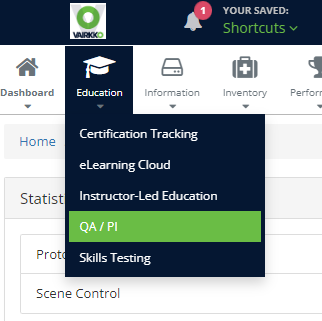
Step 2: Select 'QA/PI' from the in-app menu.
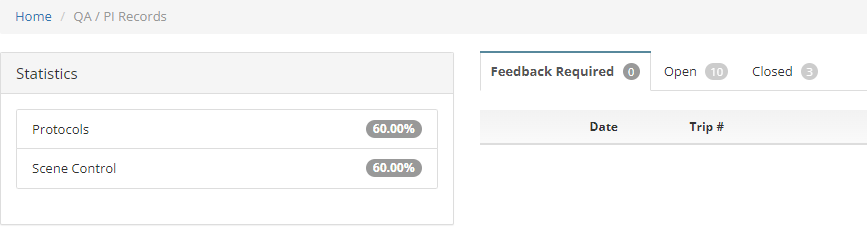
Step 3: Select the 'Feedback Required' tab. The numbers by each tab represent the number of instances associated with the tab
Step 4: Select 'Review' next to the incident you want to add feedback too. You will be able to see how many questions require feedback next to the record ID
Step 5: Questions that require feedback will have a 'Requires Feedback' button, questions that do not require feedback will have an 'Enter Comment' button. To enter feedback or comments click the button next to the question, you can view the details by simply clicking the question
Was this article helpful?
That’s Great!
Thank you for your feedback
Sorry! We couldn't be helpful
Thank you for your feedback
Feedback sent
We appreciate your effort and will try to fix the article