To upload a new certification or add training hours follow the steps below.
Step 1: Log into the VAIRKKO Platform
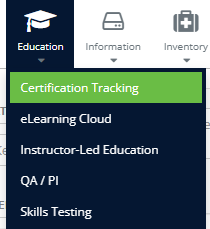
Step 2: Select 'Certification Tracking' from the in-app menu.
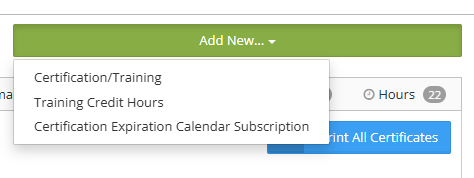
Step 3: Select what you wish to add from the 'Add New' tab.
Step 4: Follow the on-screen prompts in the popup frame to complete the process.
Additional Information
- Certification/Training - This option is used to upload a certification that your Agency tracks that have been issued to the employee by an outside source. Examples include CPR, HIPPA, Security Awareness, ETC.
- Training Credit Hours - This option is used to upload outside training that you want to be tracked. Examples include classes taken at a conference, books read, volunteer service, ETC.
Uploading a certification
- The list of certifications you can choose is determined by your agency.
- Certification Number/ID is an optional field.
- The activation date can be the current date or the date the certification was issued.
- The expiration is a required field if your agency has deemed the certification to expire.
- Your agency will determine if you need to attach a copy of your certification.
- Once it has been submitted it will not show in your profile until your agency has approved it.