Inventory - Setup
Step 1: Log in to the VAIRKKO platform.
Step 2: Click admin in the upper right corner to access the administrative area.
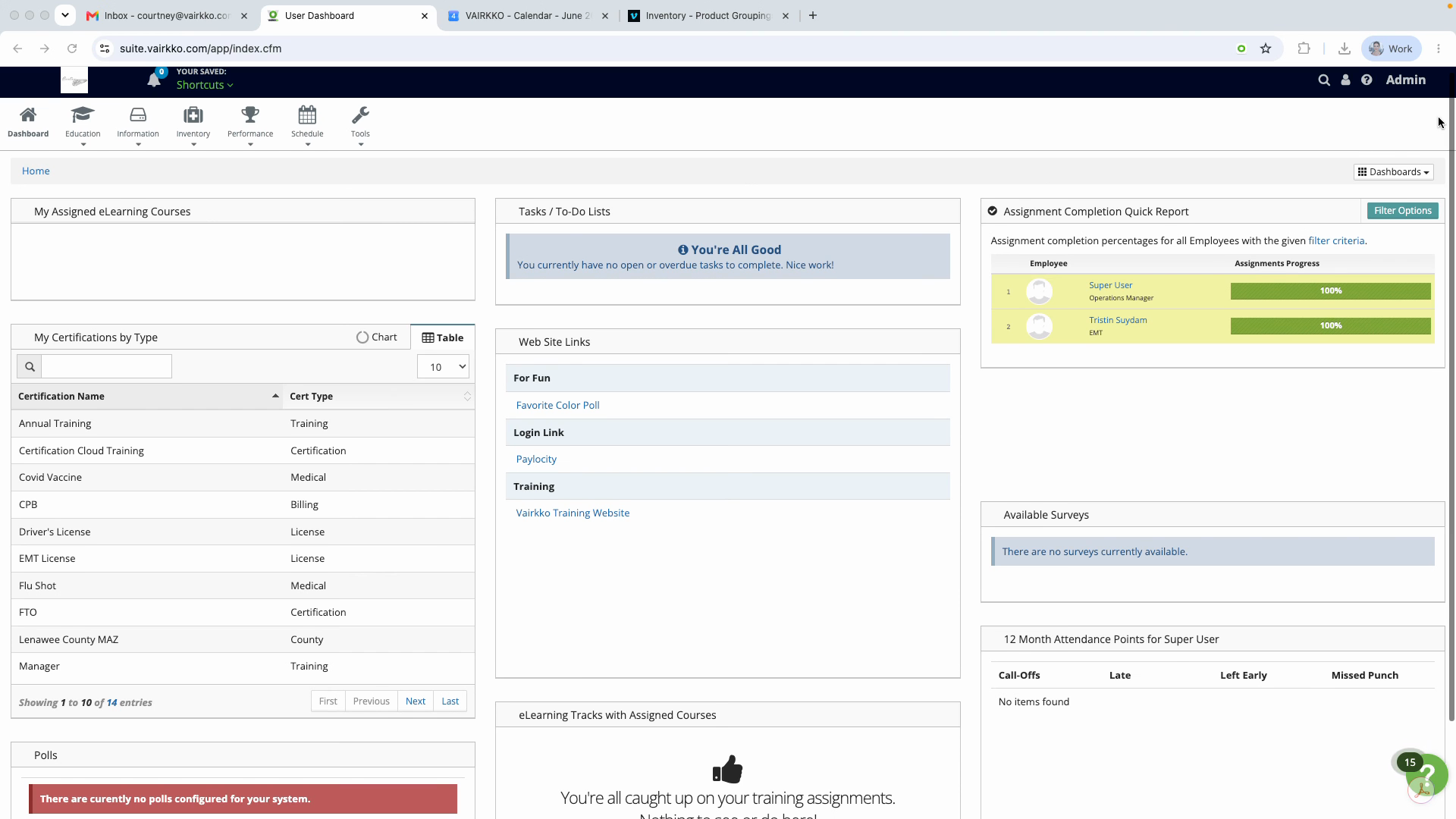
Step 3: Go to the inventory and asset cloud.
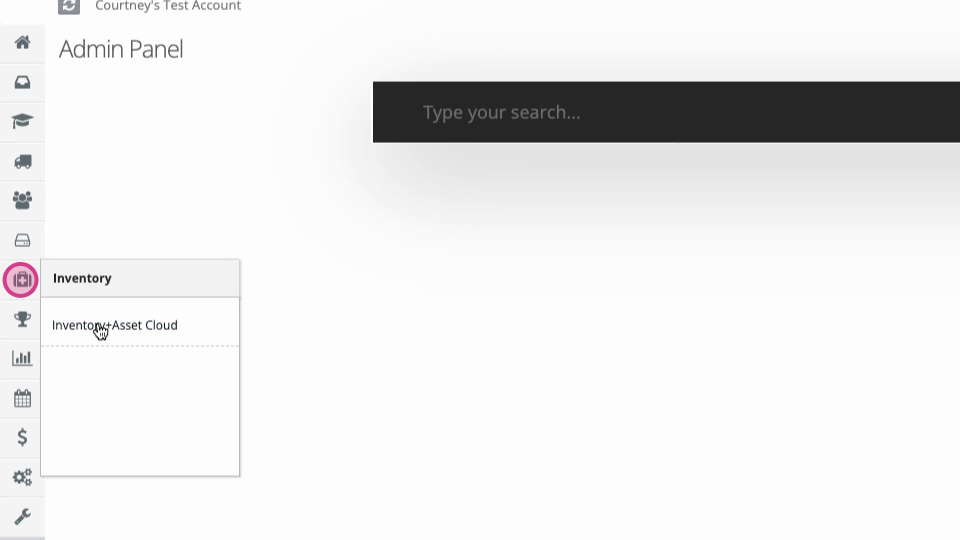
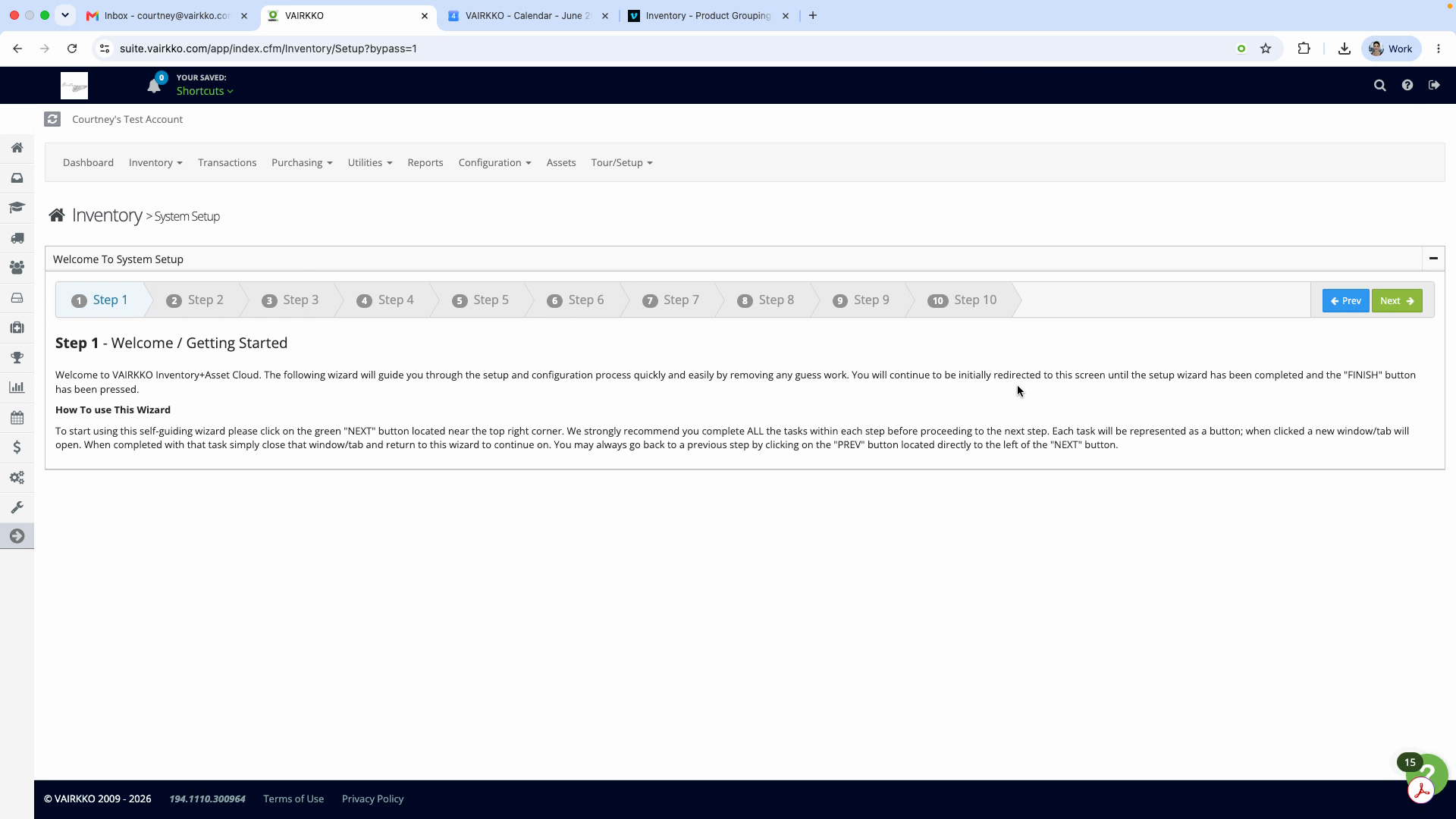
Step 4: Launch the iMAT setup wizard to begin setting up your inventory. If this is your first time in the inventory area, the wizard appears automatically.
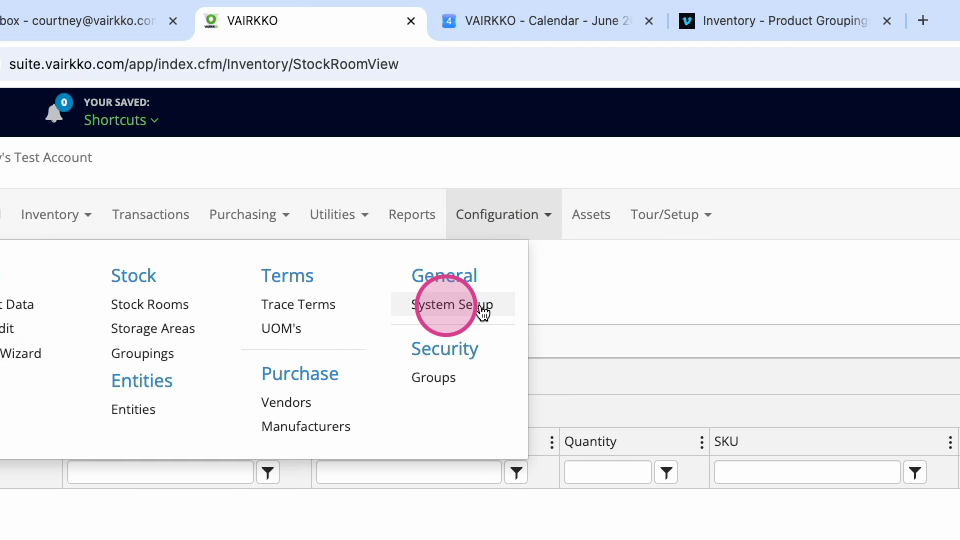
Step 5: If you need to access the setup wizard again, navigate to Configuration under General and then choose System Setup.
Step 6: Follow the on-screen prompts in the wizard to complete your inventory setup.
Was this article helpful?
That’s Great!
Thank you for your feedback
Sorry! We couldn't be helpful
Thank you for your feedback
Feedback sent
We appreciate your effort and will try to fix the article