To fill open slots from availability follow the steps below.
Step 1: Log into the VAIRKKO Platform
Step 2: Access the Administrative area by clicking 'ADMIN' in the upper right-hand corner.
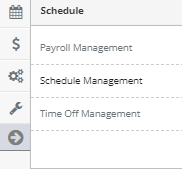
Step 3: Access the 'Schedule Management' from the Administrative Toolbar
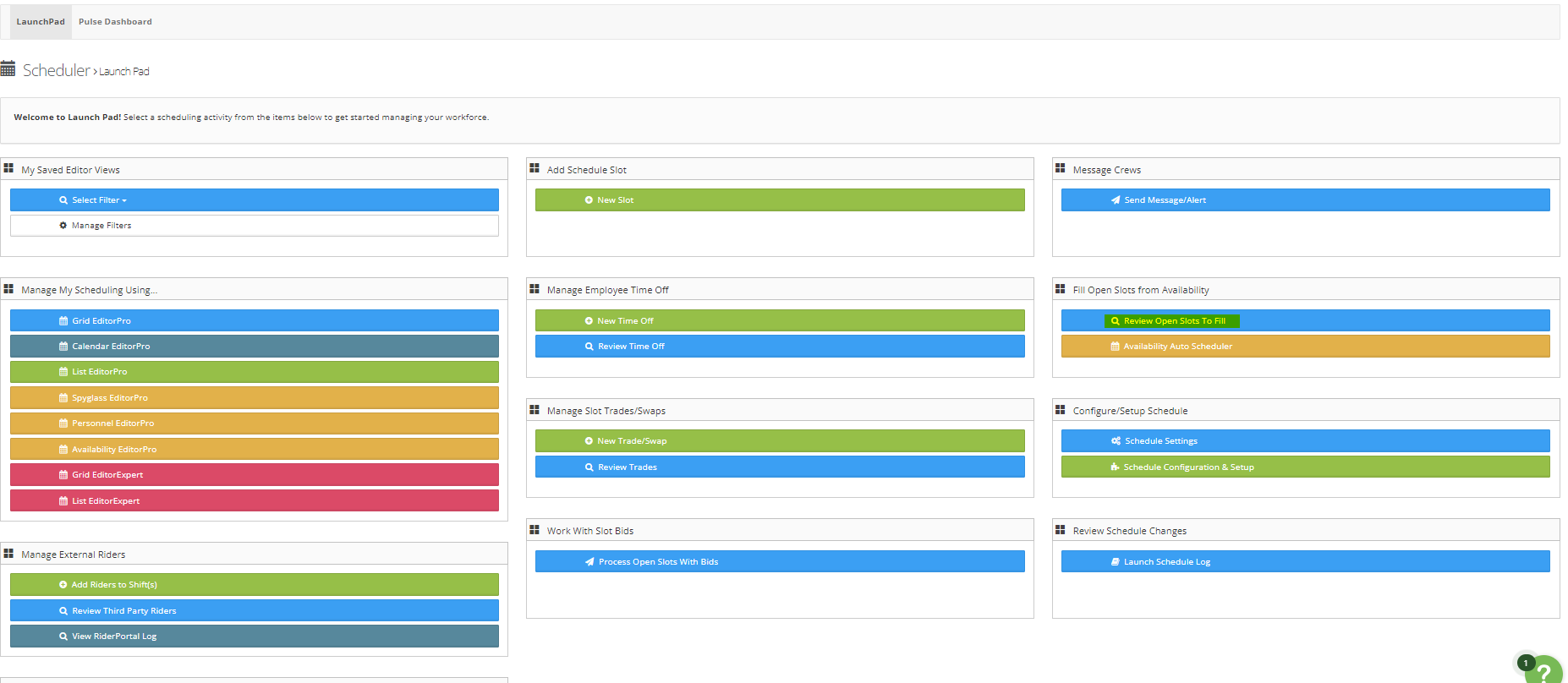
Step 4: From the Launch Pad area select 'Review Open Slots to Fill'
Step 5: This area will show you all open slots regardless if availability is present. To place the employee in the shift simply click their name
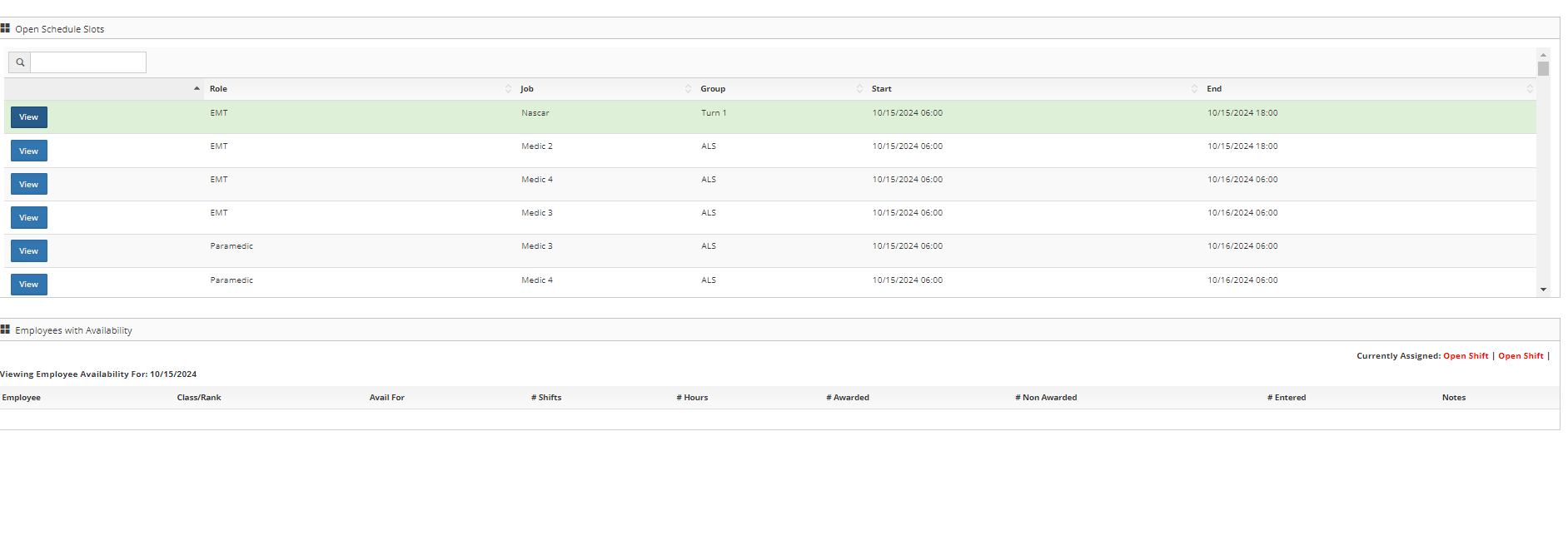
Step 6: Select 'View" by the shift to see any availability that has been submitted
Additional Information:
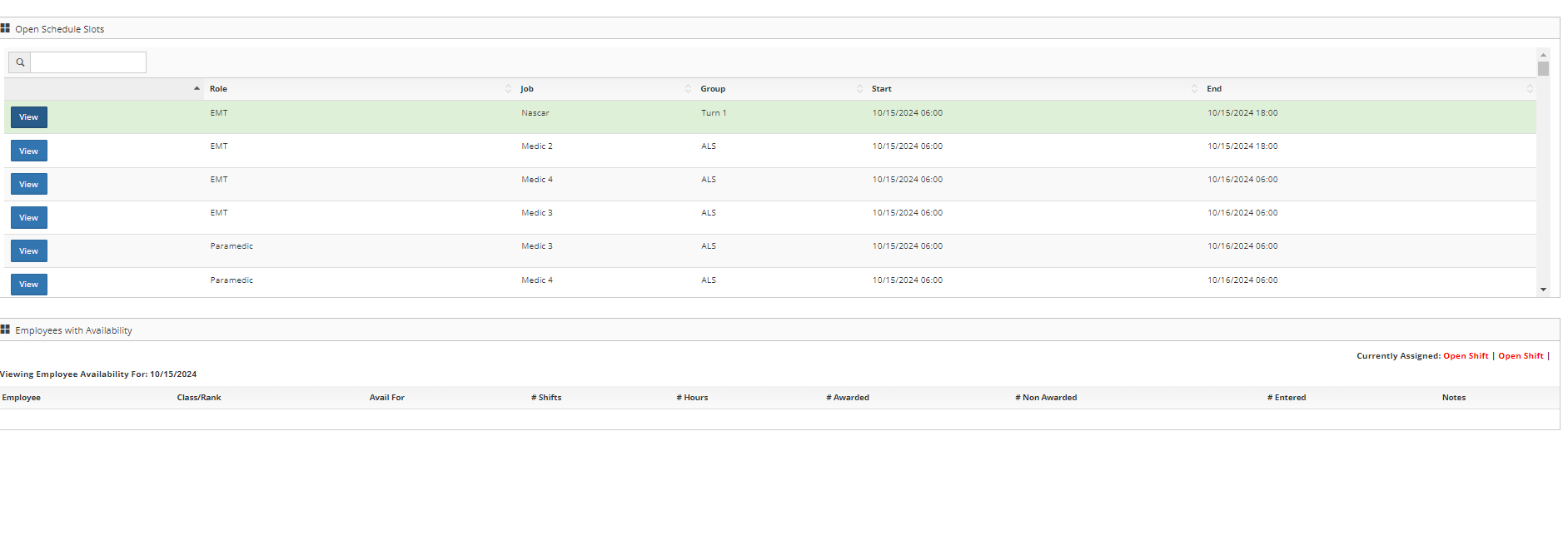
- Employee Background Color - A red background means the employee does not meet the qualifications to work this slot, while a green background signifies they meet the requirements
- Currently Assigned - Lists the current employees assigned to the select Job
- Avail For - The amount of time the employee has submitted for availability
- # Shifts - Number of shifts the employee is scheduled for the month
- # Hours - The number of hours the employee is scheduled for the month
- # Awarded - Number of days the employee received based off the month's availability
- # Non-Awarded - Number of days an employee has left of entered availability
- # Entered - Total number of days availability was entered for
- Notes - Any notes entered by the employee