To respond to a shift trade/swap request follow the steps below.
Step 1: Log into the VAIRKKO Platform
Step 2: Select 'Schedule' from the in-app menu
Step 3: Select 'Trades/Swaps' under schedule tools
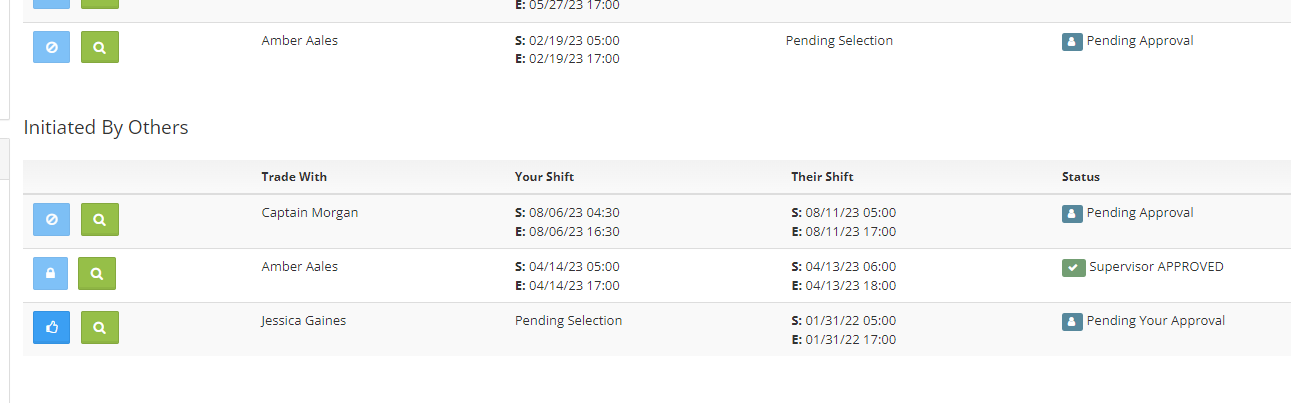
Step 4: Find the swap you are looking for under the 'Initiated By Others' section. The thumbs up button access the approve or deny trade/swap function, the magnifying glass allows you to view the details
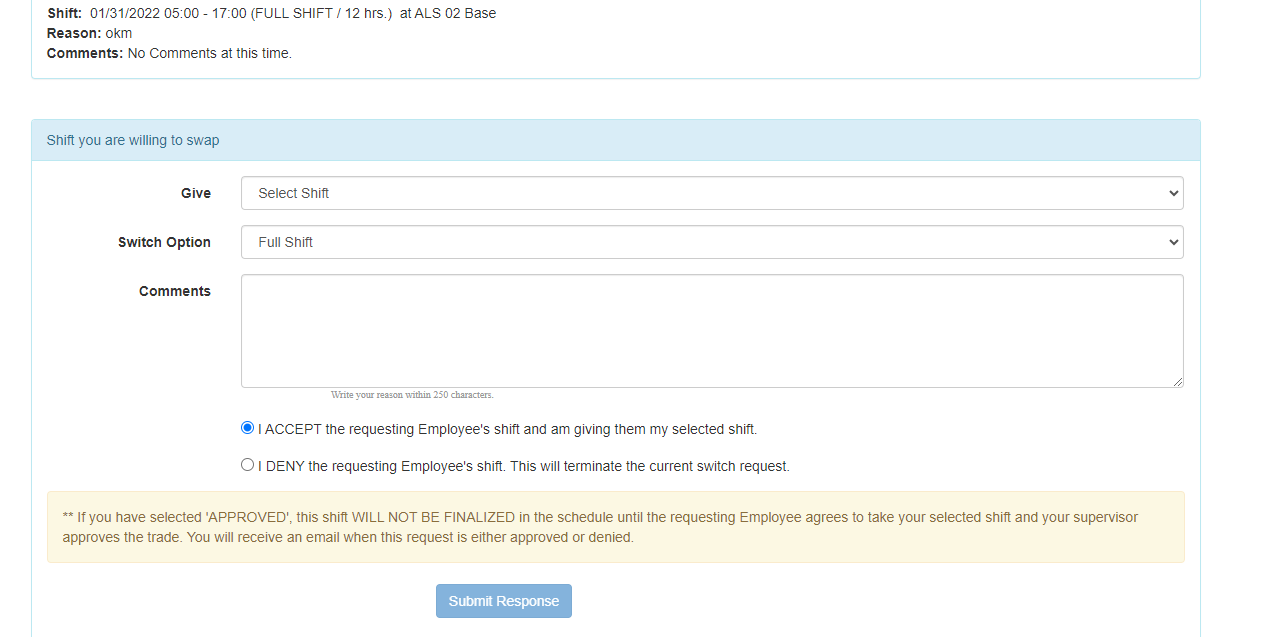
Step 5: After selecting the thumbs up button enter your information to continue the trade/swap process
Additional Information
- Once the response is submitted the trade/swap will be sent to the employee that started the process for final approval
- If the shift you want to trade is not listed in the dropdown area it could mean the shift is outside the trade/swap settings your company has entered