The Performance Management Tool in the VAIRKKO Platform gives you the ability to view open evaluations that are being performed on you, you can also access these evaluations and add comments to those evaluating you. To interact with these open evaluations follow the steps below.
Step 1: Log into the VAIRKKO Platform
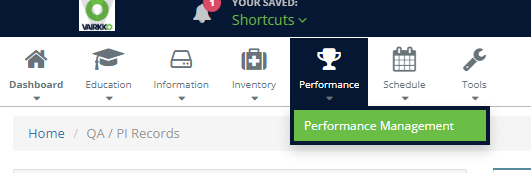
Step 2: Select 'Performance Management' from the in-app menu
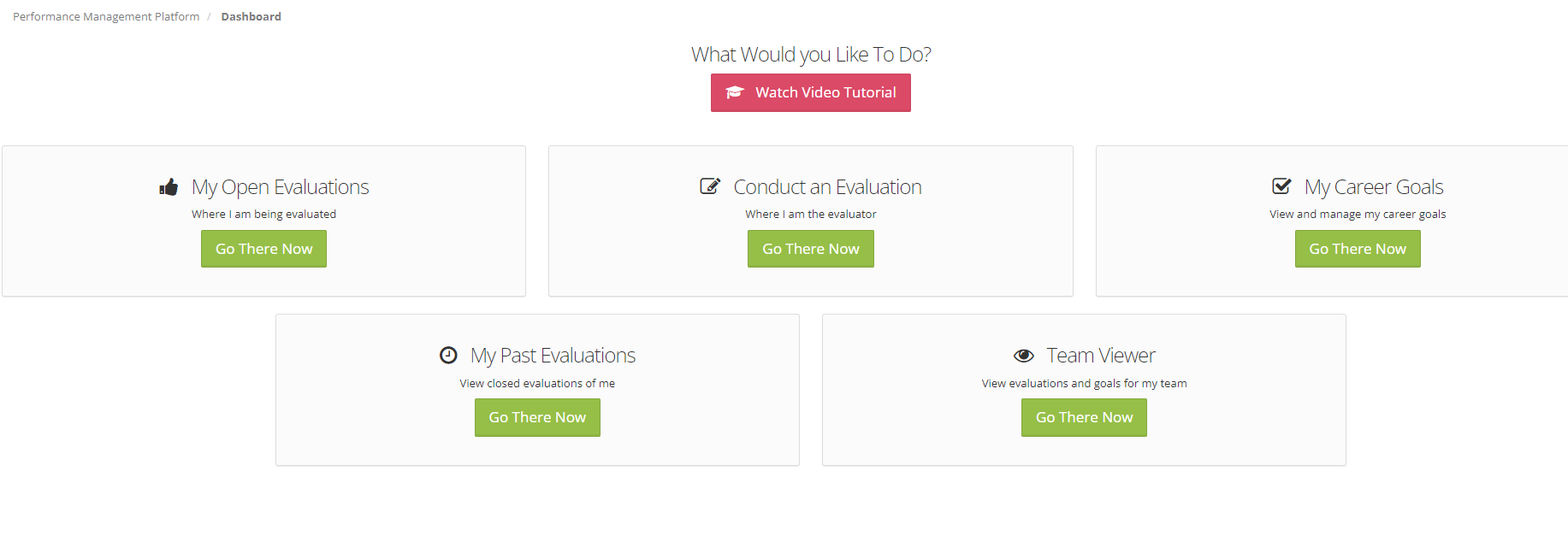
Step 3: Select the 'My Open Evaluations' tile
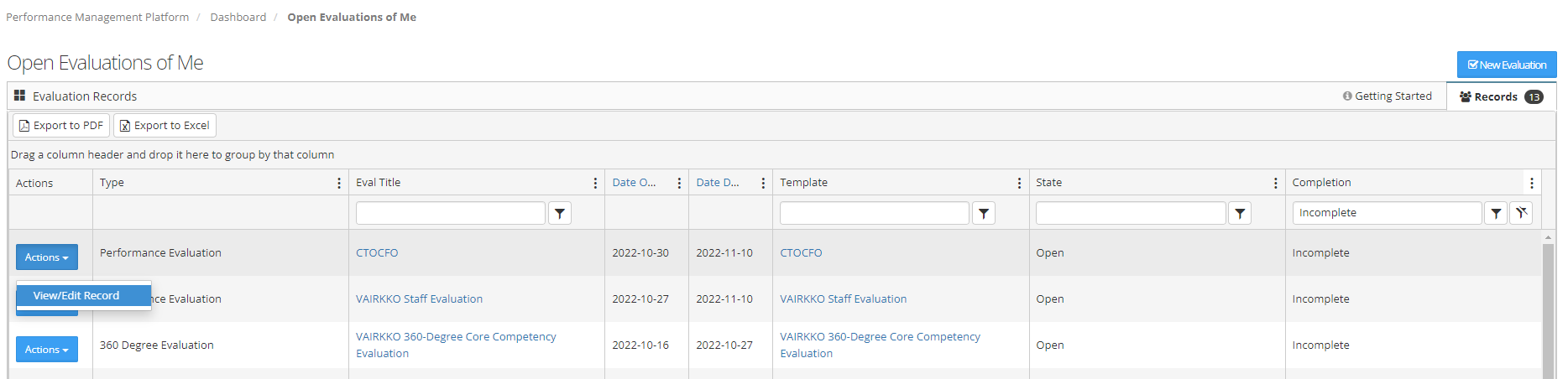
Step 4: Select 'View/Edit Record' from the actions button next to the evaluation
Step 5: From this area, you can easily add notes to the competencies you are being evaluated on