To setup, your security groups follow the steps below.
Step 1: Log into the VAIRKKO Platform
Step 2: Access the Administrative area by clicking 'ADMIN' in the upper right-hand corner.
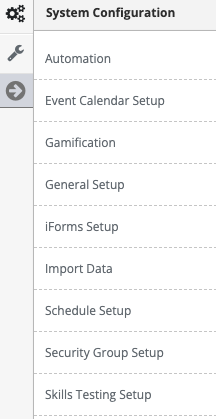
Step 3: Access the 'Security Group Setup' from the Administrative Toolbar.
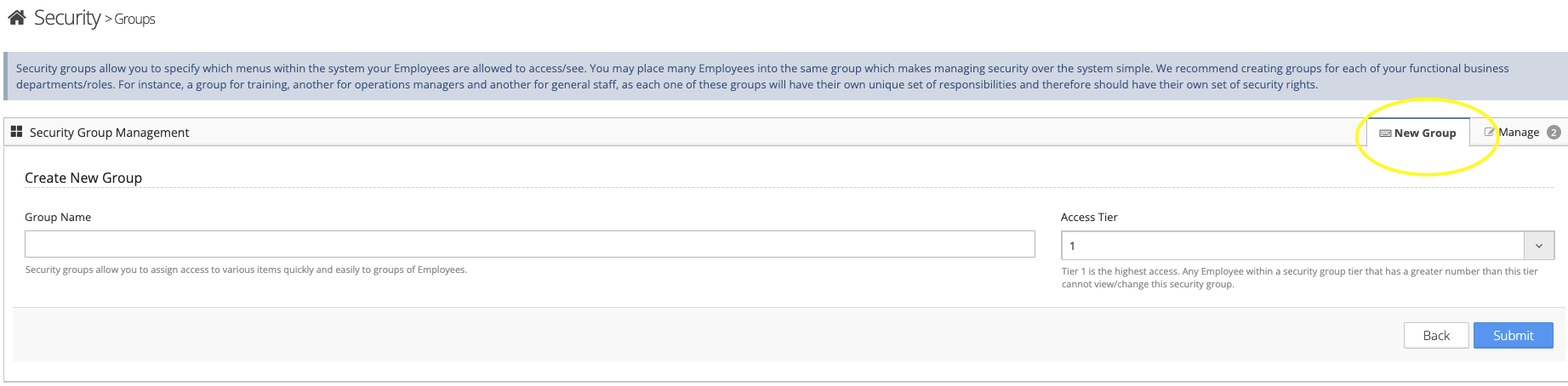
Step 4: To add a new security group select the 'New Group' tab. Enter the name of your group and select submit.
Step 5: Add the names of the employees you want to be associated with this security group.
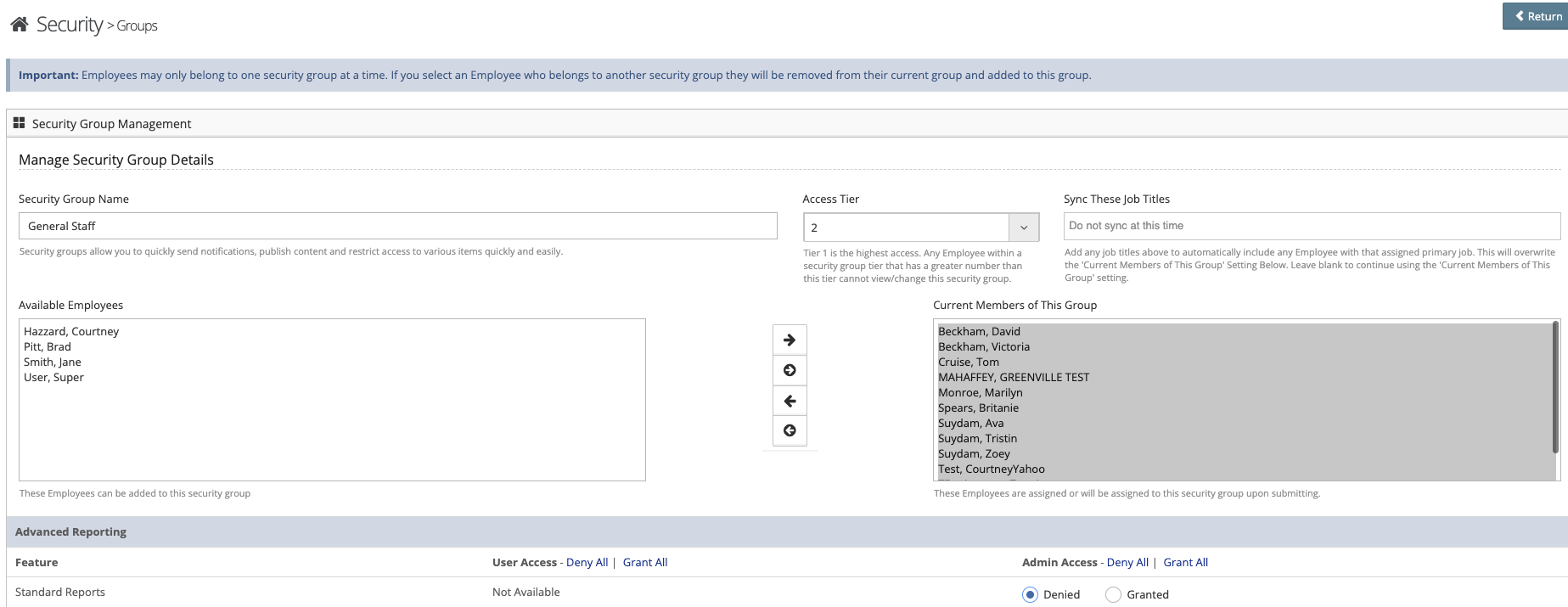
Step 6: Configure the access rights for the Security group members.
Step 7: Restrict security access further by clicking 'Granular' security.
Three rules of security groups
- Employees can only be a member of 1 security group.
- If User Level is granted then Admin level can be Granted or Denied.
- If User Level is Denied then Admin Level is Denied.
Was this article helpful?
That’s Great!
Thank you for your feedback
Sorry! We couldn't be helpful
Thank you for your feedback
Feedback sent
We appreciate your effort and will try to fix the article