Affiliates are schools or organizations that will be doing third rides with your organization.
Step 1. Log into the Vairkko Platform
Step 2: Select 'Admin' in the upper-right hand side of the screen.
Step 3: Access ‘Schedule Setup’ from the Administrative Toolbar
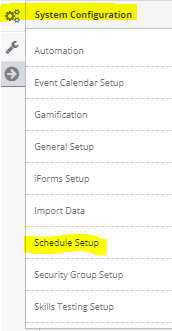
Step 4: Access ‘Riders’ from the in-app menu

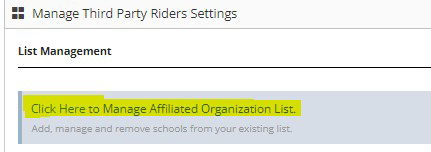
Step 5: Select ‘Click Here to Manage A?iliated Organization List.
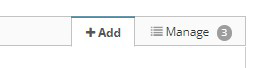
Step 6: Select ‘Add’ from the in-app menu
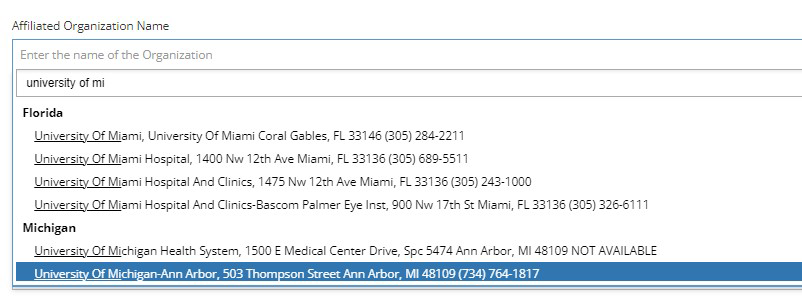
Step 7: Begin typing the name of the a?iliated organization and select from the drop-down
menu.
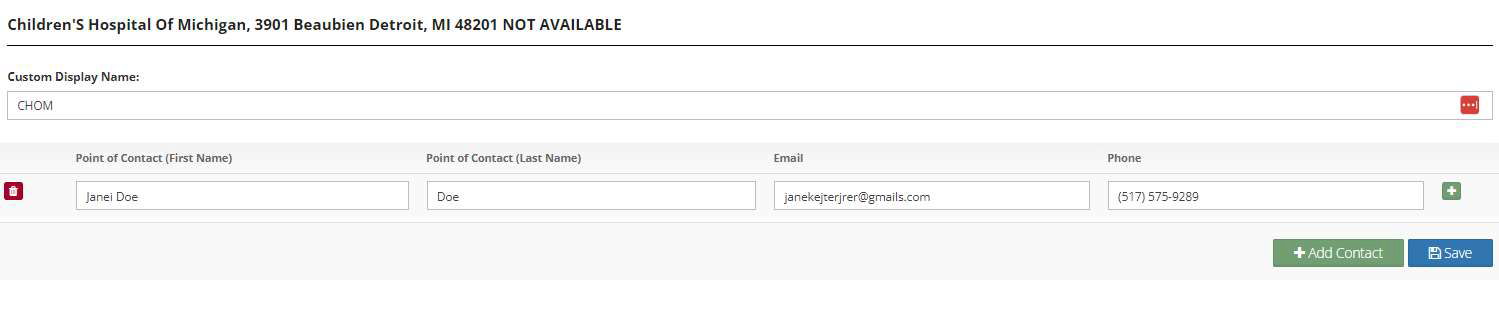
Step 8: Fill in the fields as prompted for each a?iliated organization. To add multiple points of
contact, select the plus sign. Hit submit to save your changes.

To Manage existing affiliates follow the steps below:
Step 1: Select ‘Manage’ from the in-app menu.

Step 2: From the Actions area select ‘Edit’ to make changes to the a?iliated organization or
‘Disable’ to remove the affiliated organization.

Step 3: To make changes to the a?iliate’s information type over the existing information and hit
‘Save’.
Was this article helpful?
That’s Great!
Thank you for your feedback
Sorry! We couldn't be helpful
Thank you for your feedback
Feedback sent
We appreciate your effort and will try to fix the article