Configure Certification Templates
Follow the steps below to configure which certifications your agency tracks in VAIRKKO.
How to Access Certification Templates
Step 1: Log In
Log into the VAIRKKO platform.
Step 2: Access Admin
Click “Admin” in the upper right-hand corner.
Step 3: Open Certification Cloud
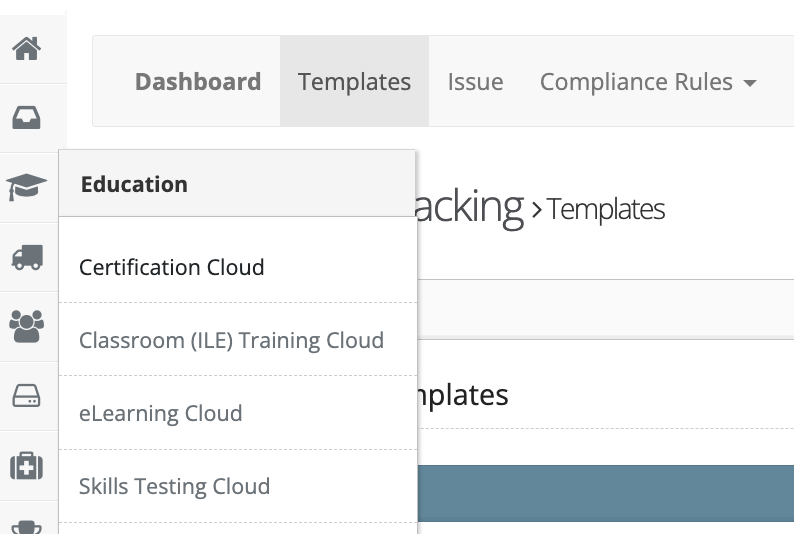
From the Administrative toolbar, select “Certification Cloud.”
Step 4: Open Templates
From the in-app menu, select “Templates.”
Manage Certification Templates
Step 5: Add or Manage Templates
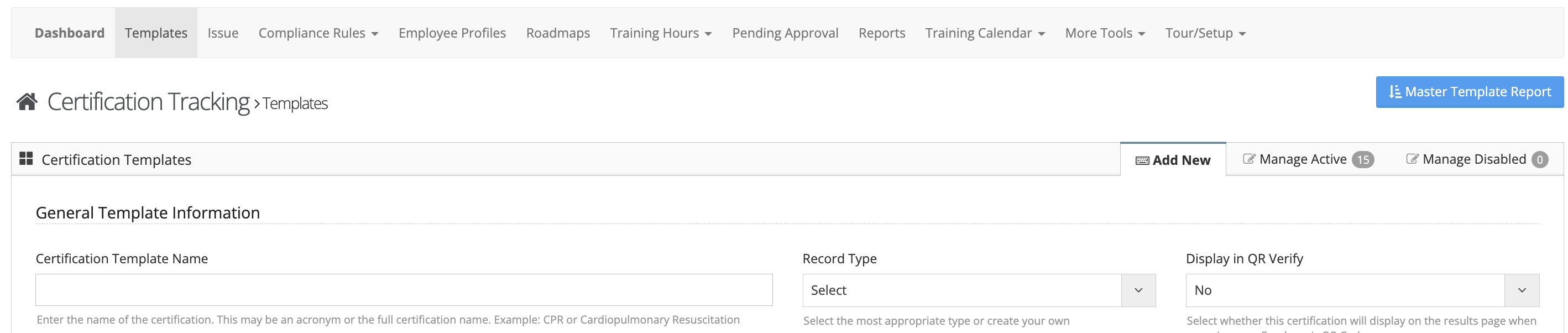
From the Templates area, you can:
- Add new certifications using the “Add” tab
- Manage active certifications using the “Manage Active” tab
- View or restore disabled certifications using the “Manage Disabled” tab
Additional Information
- Security groups can be configured to restrict members from uploading new certifications