Follow the steps below to create and manage a new contract or license in VAIRKKO.
Step 1: Log In
Log into the VAIRKKO platform.
Step 2: Access Admin
Click “Admin” in the upper right-hand corner.
Step 3: Open Certification Cloud
From the Administrative toolbar, select “Certification Cloud.”
Step 4: Navigate to Company Licenses
Click “More Tools” → “Company Licenses.”
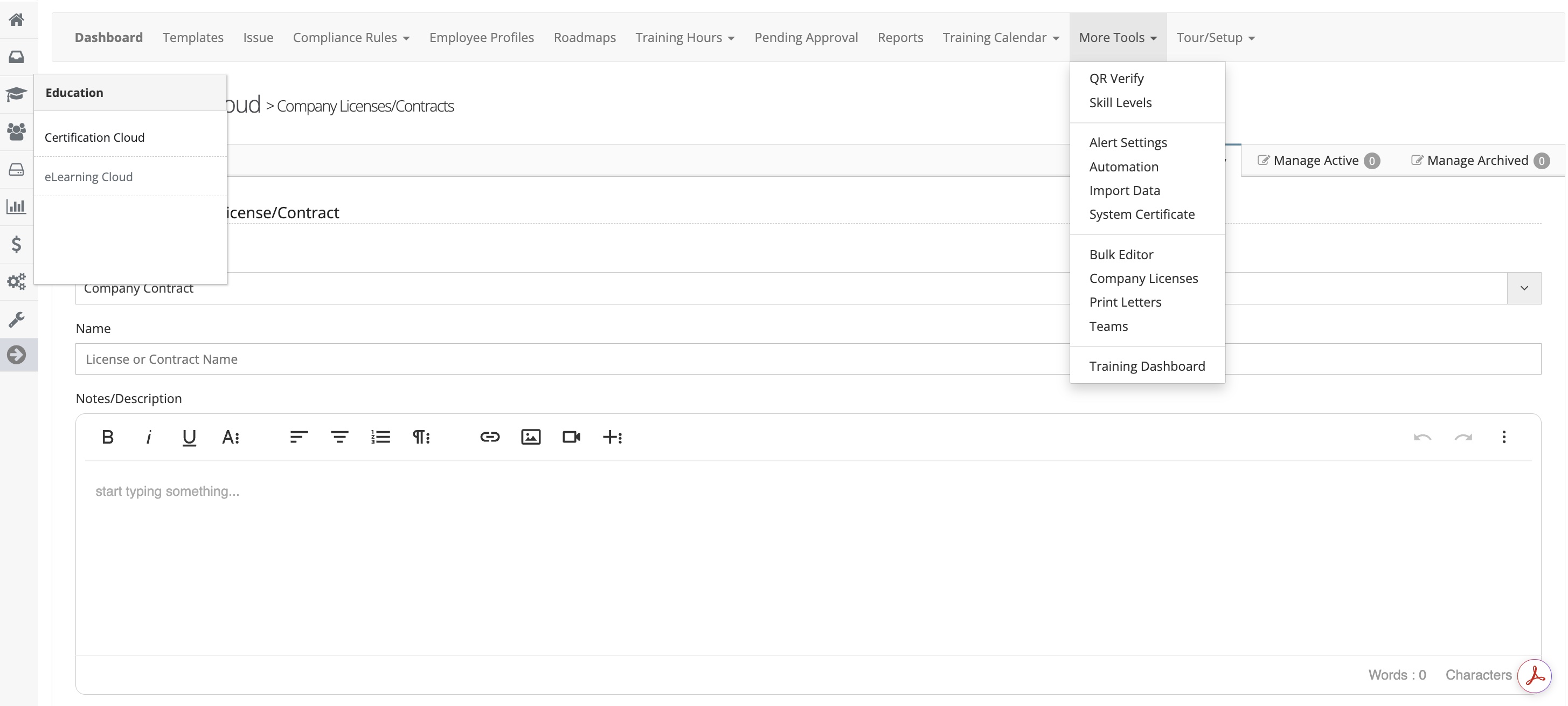
Enter Contract / License Details
Complete the following fields:
- Type: Select Contract or License
- Name: Enter a name for the record
- Description: Add any notes or relevant details
- Expiration Date: Set the expiration date
- Responsible Parties: Select users who will receive expiration notifications
- Status: Choose Active or Archived
- Keyword: (Optional) Add a search term for easier lookup