To export your Agency's payroll follow the steps below.
Step 1: Log into the VAIRKKO Platform
Step 2: Access the Administrative area by clicking 'ADMIN' in the upper right-hand corner.
Step 3: Access the 'Payroll Management' from the Administrative Toolbar
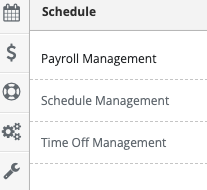
Step 4: Select the 'Dashboard' from the Actions Button in the upper right-hand corner

Step 5: Select 'Payroll Export From Time Card Data'
Step 6: Follow the on-screen prompts to export your payroll
Additional Information
Your export type is configured in the Payroll Settings area