To work with Pattern Assignments follow these steps.
Step 1: Log into the VAIRKKO Platform
Step 2: Access the Administrative area by clicking 'ADMIN' in the upper right-hand corner.
Step 3: Access the 'Schedule Setup' from the Administrative Toolbar
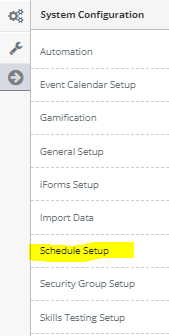
Step 4: 'Configuration' from the in-app menu

Step 5: Select 'Pattern Assignments' located under the Patterns header in the in-app menu

Step 6: Select the 'Manage Assignments' tab
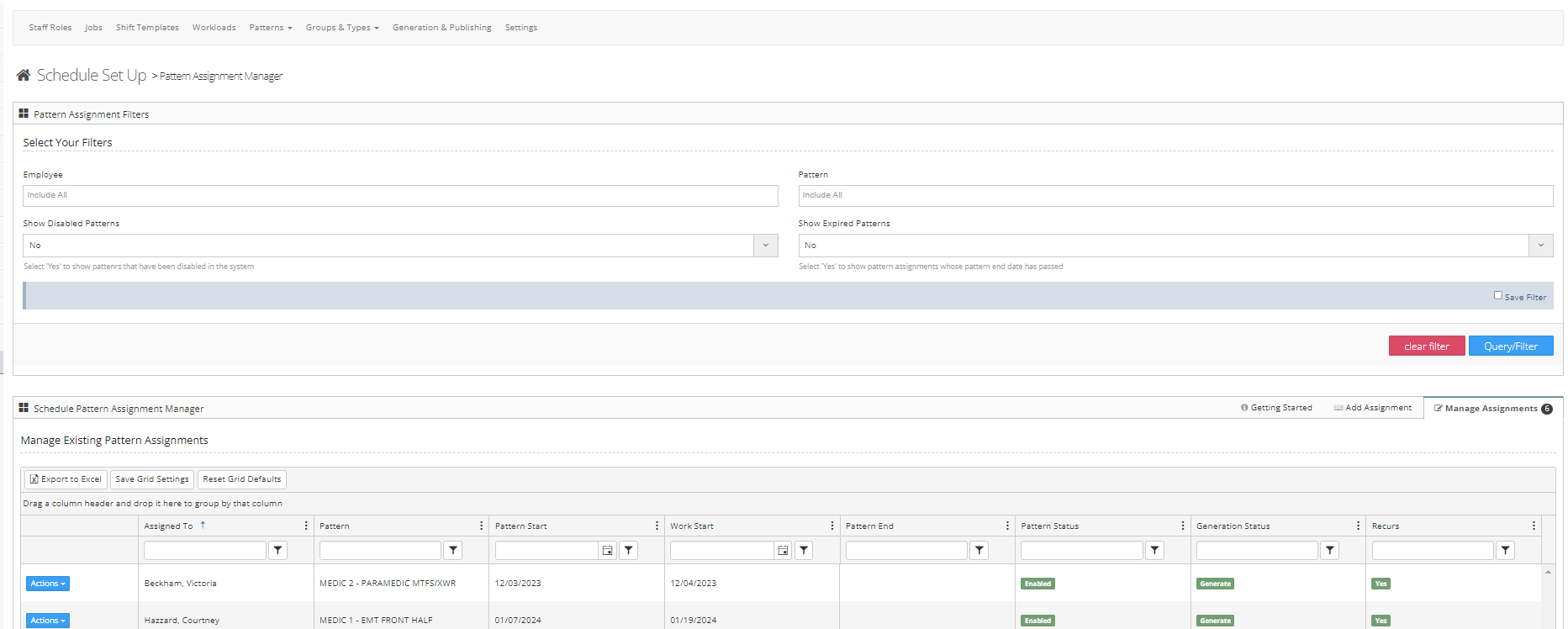
Step 7: Follow the on-screen prompts to assign your pattern. Read the additional information area below for more.
Editing an Assigned Pattern
- From the actions button next to assigned pattern select edit
- From here you can add a new end date or stop the pattern by adding an end date
Removing a Pattern
- Select Remove from the actions button next to the pattern you want to interact with.
- After selecting your option and pressing the Remove button to be sure to read the confirmation message prior to selecting yes