To create your Locations and link these Locations to Regions follow the steps below.
Step 1: Log into the VAIRKKO Platform
Step 2: Access the Administrative area by clicking 'ADMIN' in the upper right-hand corner.
Step 3: Access the 'General Setup' from the Administrative Toolbar
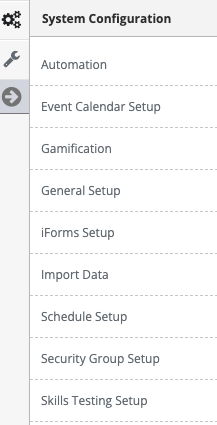
Step 4: Select 'Locations' from the in-app menu.
Step 5: Select the 'New Location' tab
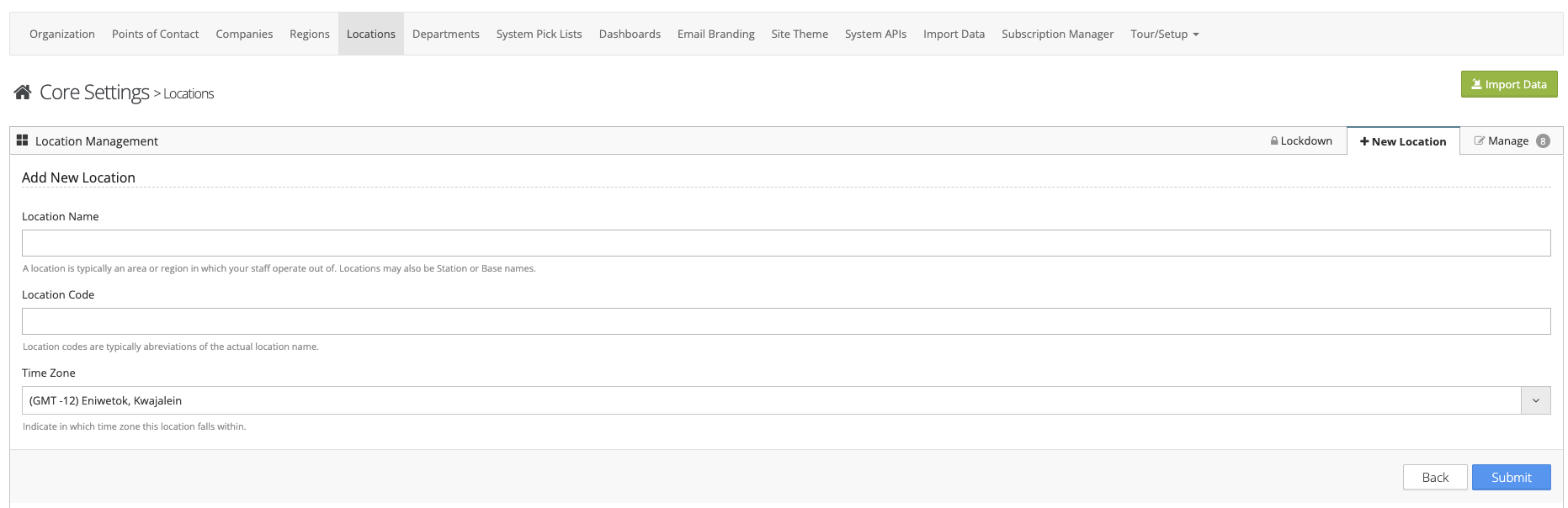
Step 6: Follow the on-screen prompts to add your Location
Managing Locations and Linking Regions
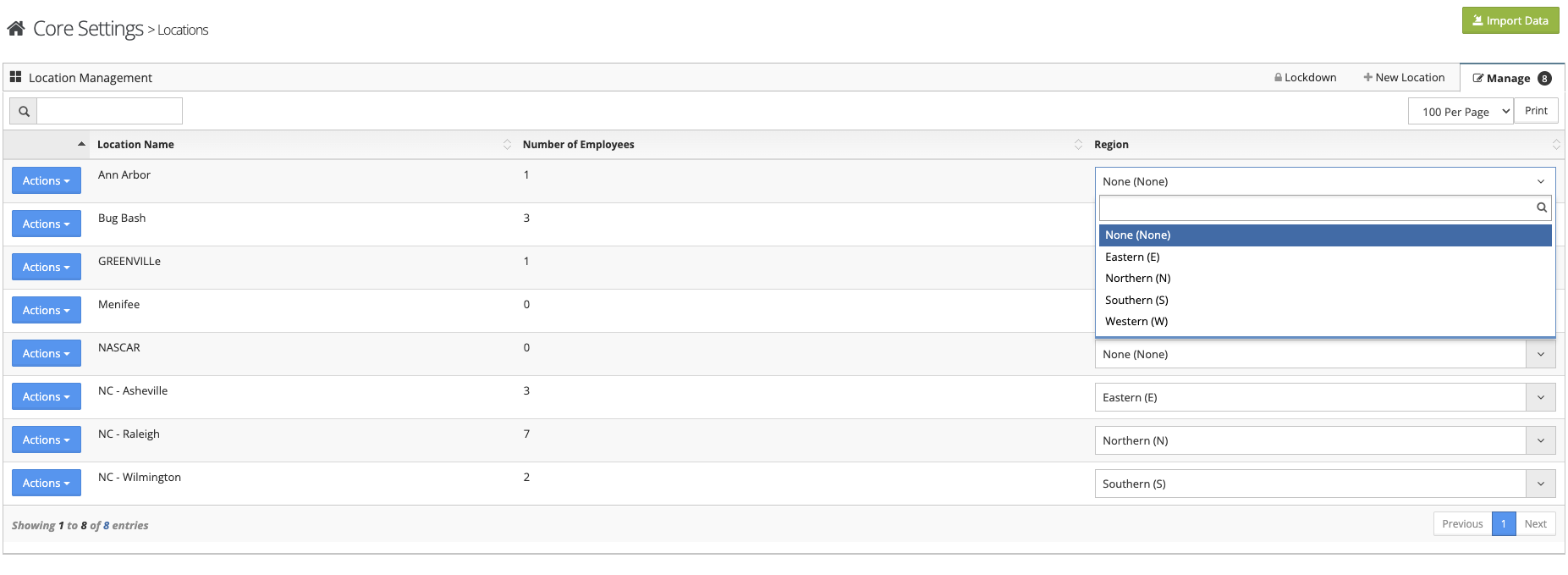
Step 1: Select the 'Manage' tab
Step 2: You can view/edit or delete Locations from the Actions button next to the Location
Step 3: You can link the Region to the Location from the drop-down box next to the Location
Locking Agency Down by Location
To lock your Agency by Location click the Lockdown tab.