To interact with the General Settings follow the steps below.
Step 1: Log into the VAIRKKO Platform
Step 2: Access the Administrative area by clicking 'ADMIN' in the upper right-hand corner.
Step 3: Access the 'HR Cloud' from the Administrative Toolbar
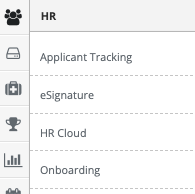
Step 4: Select 'General Settings' from the in-app menu.

Step 5: Select the 'General Settings' tab
General Settings
- Set Password Strength and reset frequency
- Determine if the Medical Tab can be displayed to staff
- Allow employees to change their name
- Staff terminology
- Employee profile update frequency
- Employee profile change notification group