To set up the Skills Test Questions follow the steps below.
Step 1: After naming your template the screen will reload and show you the template details
Step 2: Select the "Add Questions" tab

Step 3: Enter your question in the Skill/Question area. The supporting material area allows you to enter any directions or material for the question. The Category of the question and if the evaluator can enter comments.
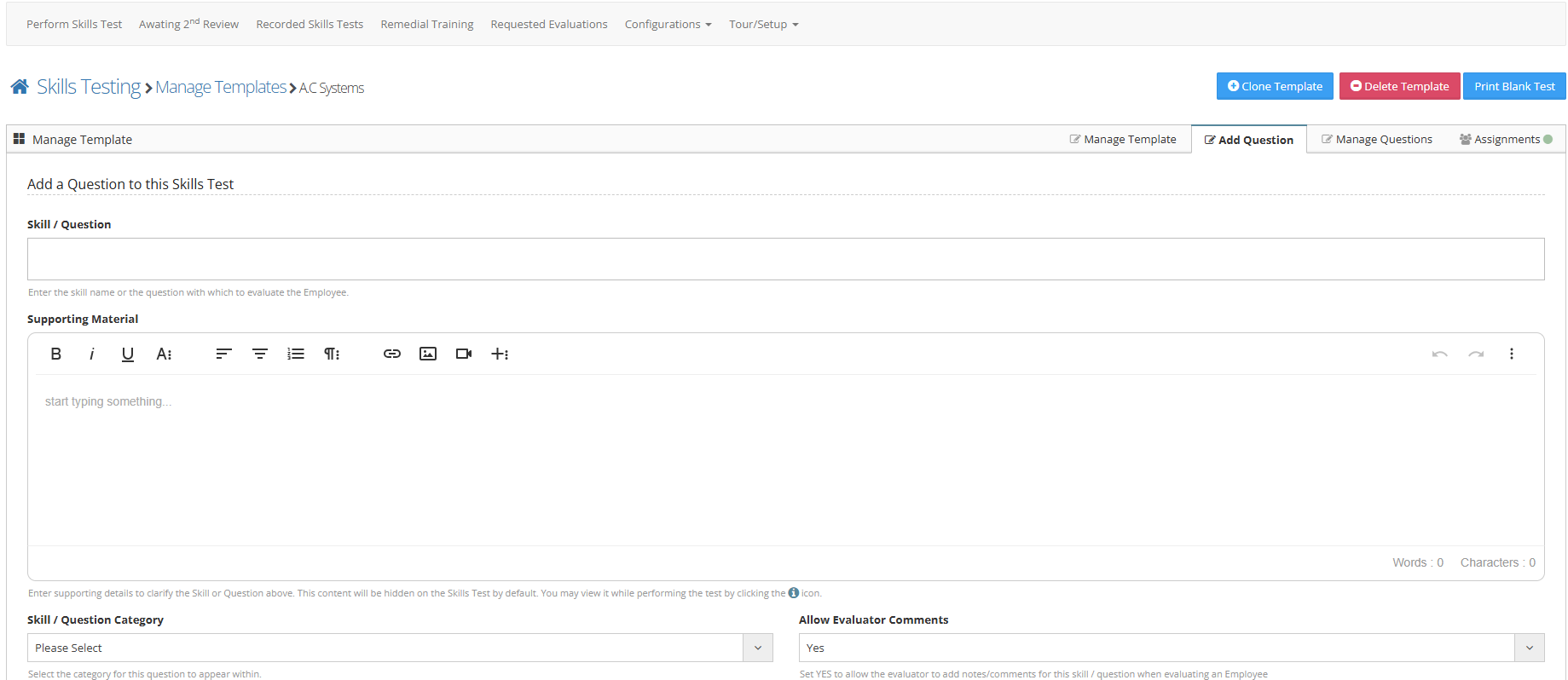
Step 4: Press the submit button to save these changes
Additional Information
- Skills testing questions work off a yes/no/na answer
- A yes answer denotes passing that question
- A No answer denotes the employee failed that question and ask if you want to require remedial training on that skill
- A N/A answer will not count the question against the employee.
- You can edit your added questions from the 'Manage Questions' tab within the skills test.
- You can track the skill level of each question by setting the "Track Individual Question Skill Level" to yes on the manage tab
- The question category acts as a header to store related questions under
- You can also add questions by selecting View/Edit from the actions button next to a configured skills test then starting at Step 2