The Course Materials area allows you to upload, link, or create content that employees can view before, during, or after a course.
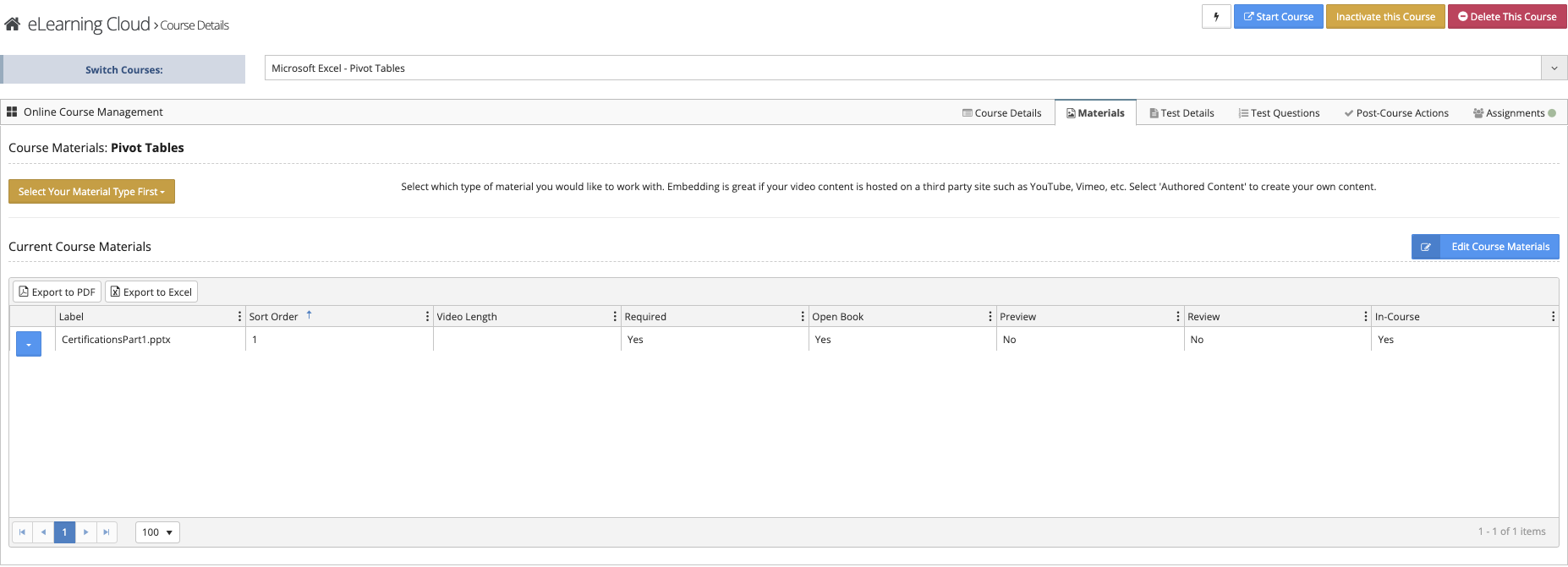
Material Types
Before adding content, select the type of material you want to use:
- Upload File
Upload files such as:- PDFs
- Videos (MP4)
- Word documents
- Link/Embed Content
Add external content such as:- YouTube videos
- Vimeo videos
- Authored Content
Create presentation-style content directly in VAIRKKO (similar to PowerPoint slides)
Material Settings


Material Label
The name displayed to employees within the course.
Sort Order
Controls the order in which materials appear.
Preview
- Allows users to view material before registering for the course
- Useful for longer or preparatory content
Review
- Allows access after course completion
- Ideal for materials employees may need to reference later
In-Course
- Determines if material is available after registration but before the test
- If set to No, material will not be accessible once the course is started
Still There?
- Adds a pause timer to videos
- Requires the user to confirm they are still watching before continuing
Required
- Requires the material to be viewed before:
- Taking a test
- Receiving course credit (if no test is included)
Open Book
- Allows material to be accessed during the test
- Useful for reference-based assessments