The Configuration area in Online Training Cloud allows you to manage system settings, notifications, certificates, and learning paths.
How to Access Configuration
Step 1: Log In
Log into the VAIRKKO platform.
Step 2: Access Admin
Click “Admin” in the upper right-hand corner.
Step 3: Open eLearning Cloud
From the Administrative toolbar, select:
Education → eLearning Cloud
Step 4: Open Configuration
From the in-app menu, select “Configuration.”
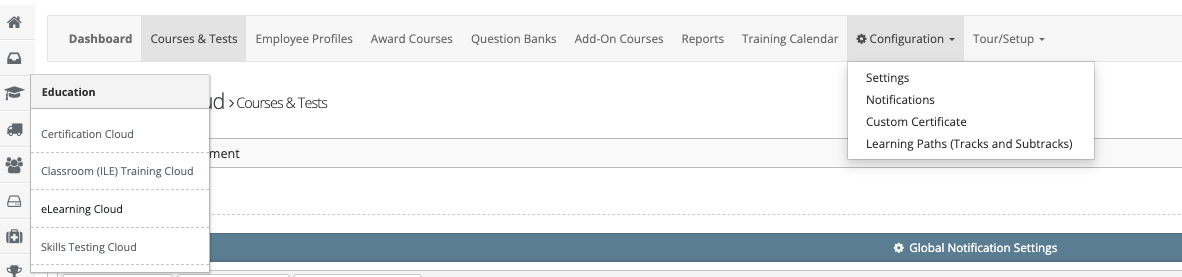
Configuration Options
Settings
Control how features are displayed and managed:
- Display Employee Leaderboard
- Display Full Course Catalog
- Use VAIRKKO PDF Viewer
- Display Completed Assignments
- Post Course Action Approval Settings (who can approve)
Notifications
Manage who receives notifications when:
- An employee passes a course
- Notifications can be configured based on location
Custom Certificate
- Upload and manage custom certificates for course completion
Learning Paths
- Create and organize:
- Tracks
- Sub-tracks
- Control the structure of your training programs
Was this article helpful?
That’s Great!
Thank you for your feedback
Sorry! We couldn't be helpful
Thank you for your feedback
Feedback sent
We appreciate your effort and will try to fix the article