Follow the steps below to assign an online training course to one or more employees in VAIRKKO.
How to Assign a Course
Step 1: Log In
Log into the VAIRKKO platform.
Step 2: Access Admin
Click “Admin” in the upper right-hand corner.
Step 3: Open eLearning Cloud
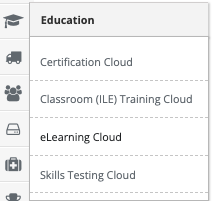
From the Administrative toolbar, select “eLearning Cloud.”
Step 4: Open Assignments
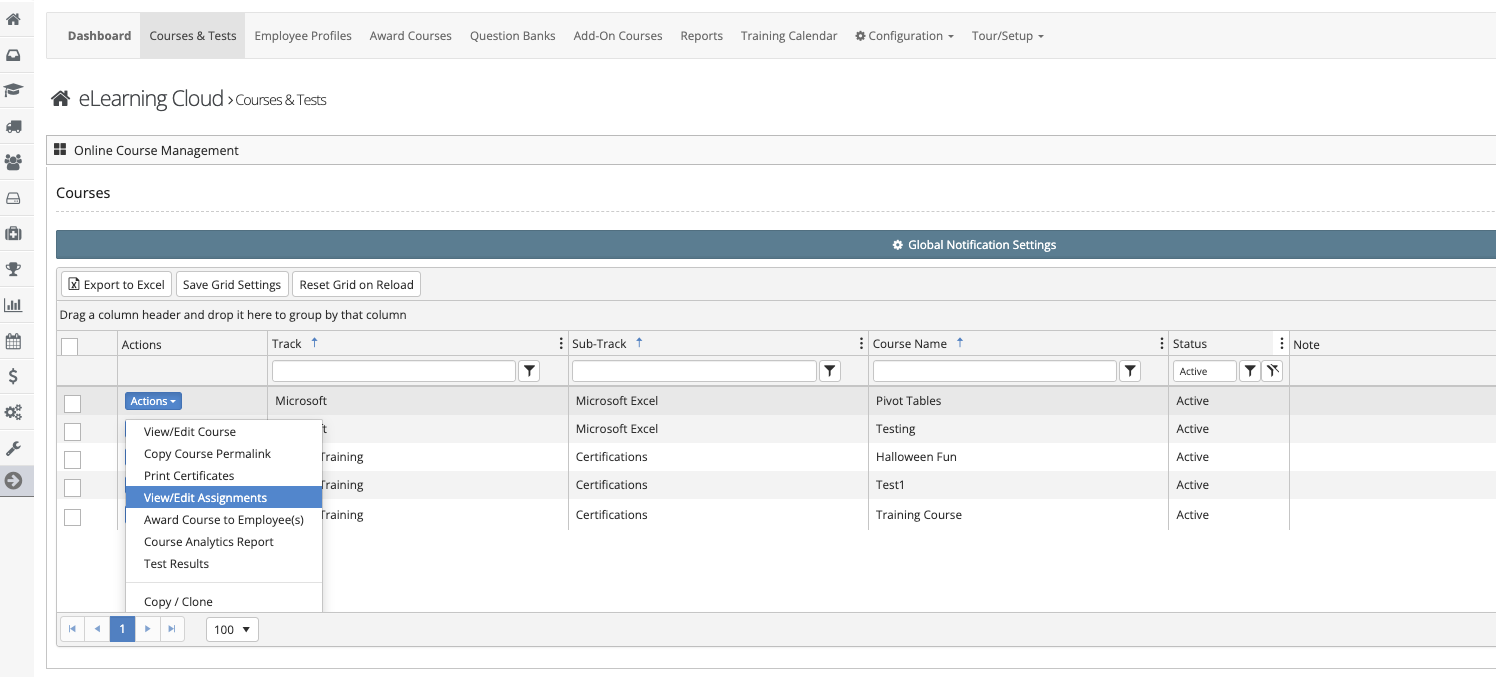
Locate your course and select “View/Edit Assignments” from the Actions button.
Step 5: Configure Assignment
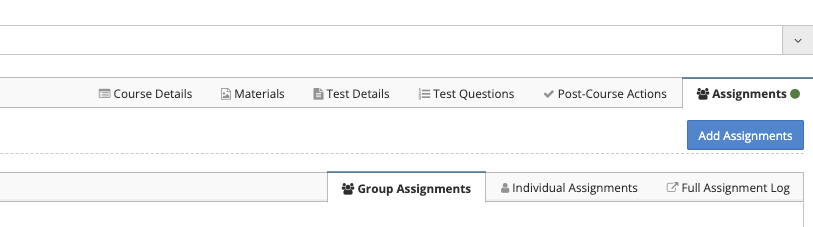
Select "Add Assignments" and follow the on-screen prompts to assign the course to employees or groups.
Assignment Options Explained
Send Notification Emails
- Choose whether employees receive an email when assigned
- A task will still be created regardless of email notification
Assignment Type for Groups
- Static Assignment
Assigns the course to selected employees or groups- New employees added later will not be assigned
- Dynamic Assignment
Assigns the course to a group- New employees added to the group will automatically be assigned
Set a Due Date
Employee Notification
- Employees will receive:
- A task assignment
- An email (if enabled)