The Random Test Questions feature allows you to display a different set of questions for each test taker by randomly selecting from a larger pool.
How It Works
You can create a pool of questions and define how many will appear on each test attempt. The system will randomly select questions for each user.
How to Configure Random Questions
Step 1: Add Questions to Your Test
Add questions using one of the following methods:
- Manually create questions
- Import from a question bank
- Upload from a file
- Import from another test
Step 2: Set Number of Questions Displayed
The number of questions you want each test taker to see.
- This number will be randomly selected from your total question pool
- Each test taker may receive a different set of questions
Step 3: Use “Always Show” for Required Questions
If certain questions must appear on every test:
- Set “Always Show” = Yes for those questions
- These questions will always be included in addition to the randomly selected ones
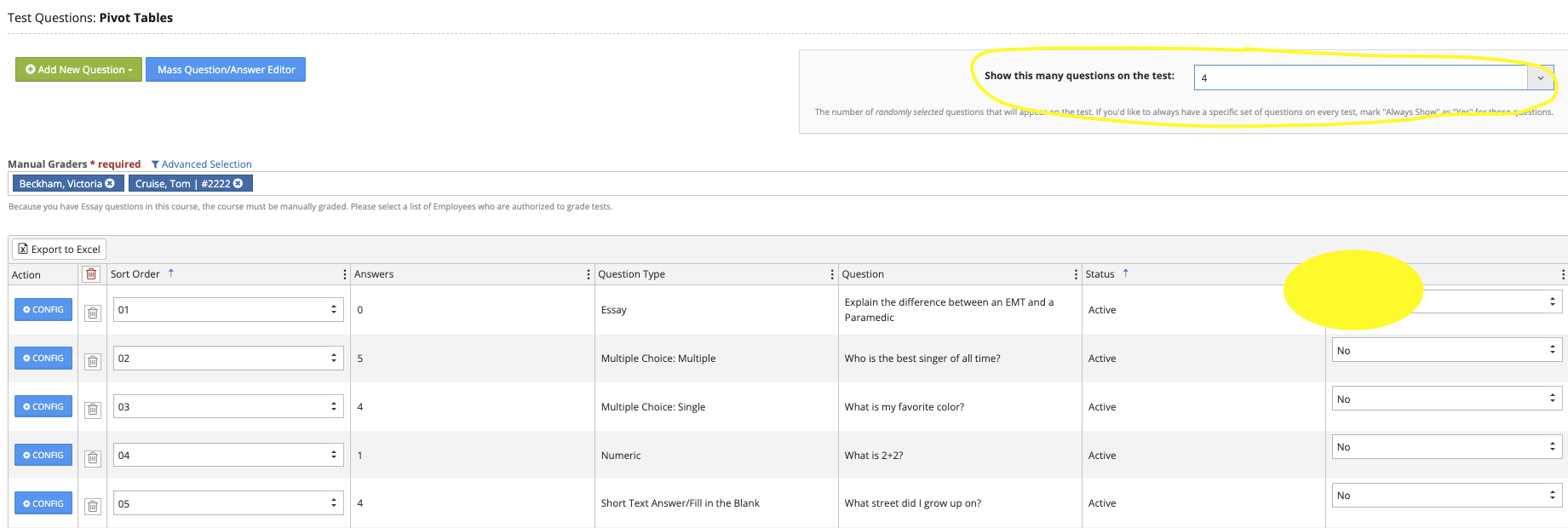
Example
- Total questions in pool: 50
- Questions displayed per test: 20
- “Always Show” questions: 5
? Each test taker will see:
- The same 5 required questions
- Plus 15 randomly selected questions