To configure the Shift Switch/Trade settings follow the links below.
Step 1: Log into the VAIRKKO Platform
Step 2: Access the Administrative area by clicking 'ADMIN' in the upper right-hand corner.
Step 3: Access the 'Schedule Setup' from the Administrative Toolbar
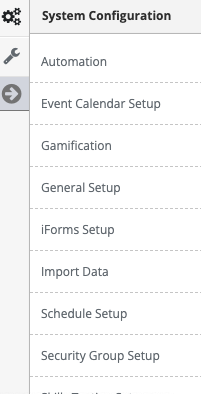
Step 4: 'Shift Switch/Trade' from the in-app menu

Step 5: Follow the on-screen prompts to configure the following settings:
- Shift Switch Notifications - Sets who is notified for location-based trades.
- Auto Approve Trades - Do you want the system to approve the trades or do you want trades to be approved by administrators.
- Enforce Multiple Booking Rule - Determines if you want to enforce multiple bookings.
- Restrict Shift Switches To - Determines the time frame switches have to be completed.
- Restrict Shift Switches Within - Determines how far from the start of a shift an employee can request swaps.
- Shift Swap Schedule View - How do you want the schedule to reflect the shift switch