To utilize the pattern tools follow the steps below.
Step 1: Log into the VAIRKKO Platform
Step 2: Access the Administrative area by clicking 'ADMIN' in the upper right-hand corner.
Step 3: Access the 'Schedule Setup' from the Administrative Toolbar
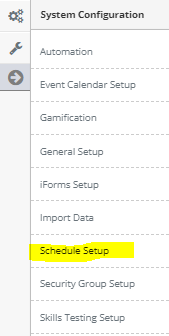
Step 4: 'Configuration' from the in-app menu

Step 5: Select 'Pattern Tools' located under the Patterns header in the in-app menu

Step 7: Select the Pattern Tool you wish to interact with
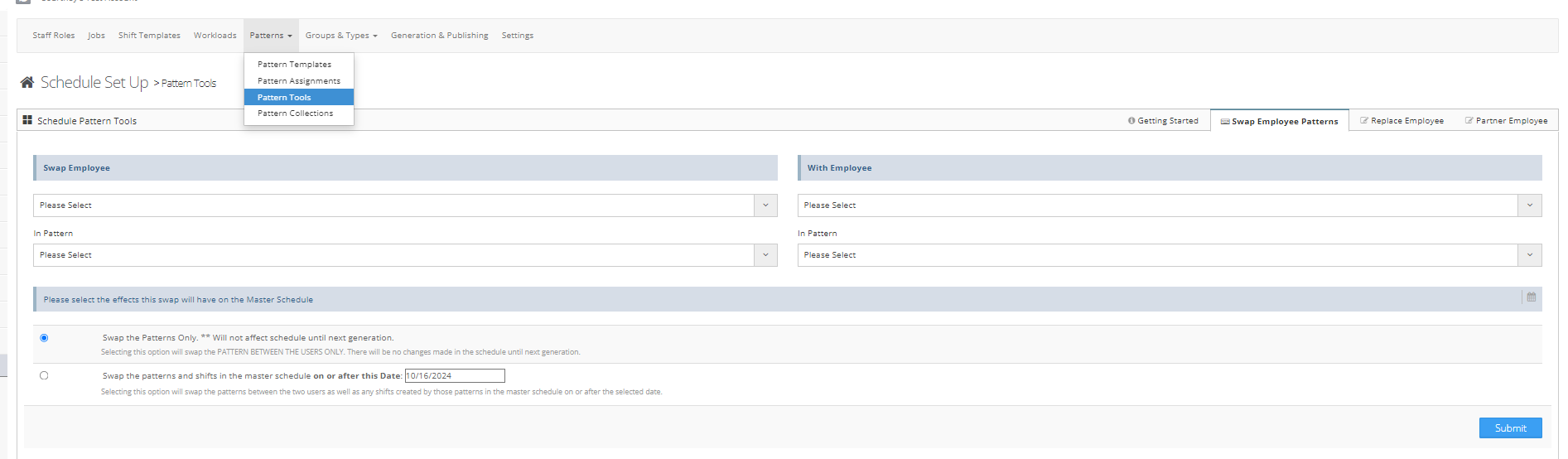
Swap Employee Patterns - Allows you to swap assigned patterns between two employees
Replace Employee - Is a find and replace feature that allows you to locate one employee and replace them with another
Partner Employee - Assigns an employee to be a partner with another