Managing Certification Templates
Use this guide to view, edit, and manage your existing certification templates in VAIRKKO.
How to Access Certification Templates
Step 1: Log In
Log into the VAIRKKO platform.
Step 2: Access Admin
Click “Admin” in the upper right-hand corner.
Step 3: Open Certification Cloud
From the Administrative toolbar, select “Certification Cloud.”
Step 4: Open Templates
From the in-app menu, select “Templates.”

Manage Active Templates
Step 5: View Active Templates
Select the “Manage Active” tab.
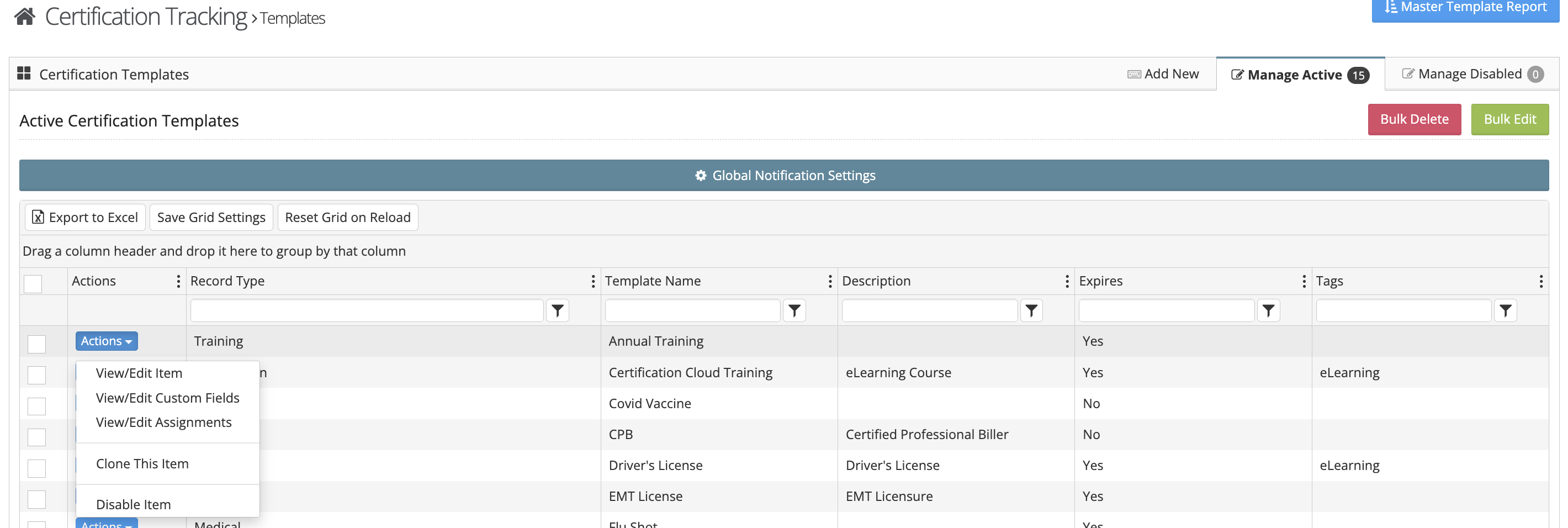
Step 6: Take Action on a Template
Click the Actions button next to the certification template you want to manage.
Available Actions
From this area, you can:
- View or edit template details
- Update certification settings
- Create an assignment to notify employees they need to obtain the certification