The Course Details area allows you to configure the overall settings for an online training course, including organization, requirements, access, and completion rules.
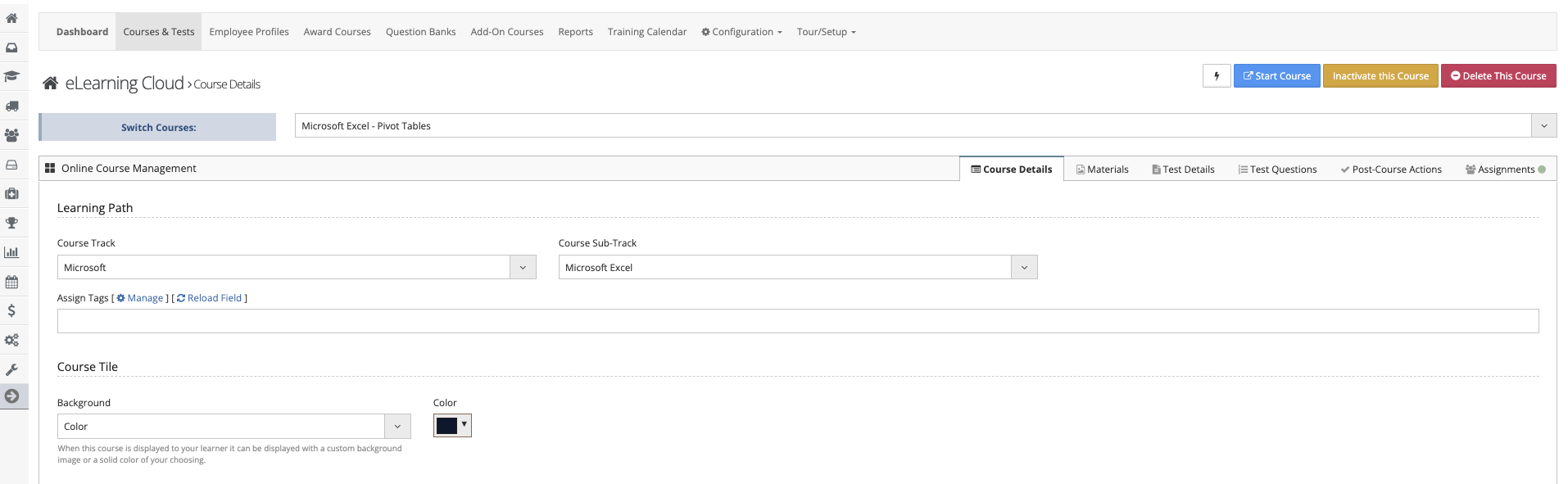
Course Organization
Course Track
The highest-level category used to organize courses.
Think of this as a filing cabinet.
Examples:
- VAIRKKO
- Policies
- Drugs
Course Sub-Track
A sub-category within a Course Track.
Think of this as a folder inside the filing cabinet.
Examples:
- Online Training Cloud
- Attendance
- Narcan
Course Name
The name displayed to employees and within the course catalog.
Course Number
A unique identifier for the course.
- Can be assigned by your organization
- Or follow an external agency standard
CE Credit Settings
- Core CEUs – Credits associated with core topics
- Elective CEUs – Credits that count toward elective requirements
Display & Catalog Settings
- Sort Order – Controls where the course appears in the catalog
- Required – Marks the course as required for employees
Course Type & Testing
- Course Type
- Self-Guided
- Instructor-Guided
- Allow Re-Takes
- Enable/disable multiple attempts
- Maximum Attempts/Completions
- Limit the number of times a course can be retaken
Notifications & Renewals
- Completion Notifications
- Select who is notified when a course is completed
- Re-Testing Frequency
- Set how often the course must be retaken
- Employees will see renewal alerts 30 days prior to due date
Course Content
- Course Description – Overview of the course
- Course Directions – Instructions before starting
- Post-Course Instructions – Actions required after completion
Prerequisites
- Define required courses that must be completed before accessing this course
Course Availability
- Course Run-Time
- Set when the course is active
- Define start and end dates for availability
Compliance & Integration
- Governance
- Identify the governing body requiring the course
- Linked Items
- Issue certifications upon completion
- Attach post-course surveys
Access & Permissions
- Administrative Access
- Define which groups can edit the course
- Access Information
- Restrict access by:
- IP address
- Employee
- Location
- Department
- Restrict access by: